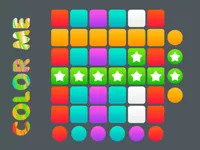
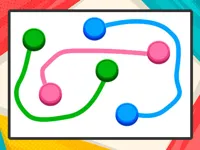
Play Color me, a fun Puzzle game you can enjoy instantly in your browser. No Download, Free to Play, and playable on PC, mobile, and tablet.
Genre: Puzzle | No Download | Free to Play
Color me is a simple, satisfying color-and-fill style game where your main job is to apply the right colors in the right places. It plays like a light logic activity with an art twist: you look at the scene, notice what is missing, then use clean steps to finish the picture without making a mess.
Because it mixes attention to detail with easy interactions, it fits well for anyone browsing puzzle games that are calm, quick to learn, and easy to replay. The theme also makes it a natural match for players who enjoy color based challenges and visual pattern thinking.
One reason Color me works so well is the clear feedback loop. You pick a color, apply it, and you immediately see whether the result looks right. Even if you make a mistake, it is usually easy to correct, so the game stays relaxed rather than stressful.
It also has that “one more level” feel. You can finish a small picture quickly, then move on to the next idea without committing to a long session. That makes it a strong choice for casual play, especially if you like short wins and tidy progress.
Start a level, look at the image, then apply colors to the parts that need them. Most of the time you will tap or click to select a color and then tap or drag to fill a region. The goal is to complete the picture in a way that looks consistent, with clean edges and the correct placement.
In Color me, going too fast is the most common cause of mistakes. A better approach is to scan the whole scene first, identify the biggest areas to color, and then handle smaller details at the end. If the game includes numbered hints or obvious palettes, use them, but still double-check the shape you are filling before you commit.
The core loop in Color me is built around observation and precision. You are not trying to beat an opponent or manage complex rules. Instead, you are reading the picture like a small puzzle: which parts belong together, where a color should stop, and how to avoid accidental spillover into nearby areas.
As you progress, the challenge usually increases by adding finer shapes, tighter borders, or more similar-looking regions that tempt you into choosing the wrong spot. That is where you get better at “checking your edges” and working in a smart order. Finishing large sections first gives you a stable visual reference, while leaving tiny corners for last helps you avoid smearing or mis-clicks when you are trying to be precise.
Some levels can feel like mini drawing tasks, even if you are mostly filling rather than sketching. If you enjoy that creative side, you can explore more drawing style games later, but Color me keeps the focus on clean choices and neat completion.
Color me sits in a sweet spot between a classic coloring activity and a light logic puzzle. You are not only picking colors you like. You are also making decisions about order, accuracy, and consistency, which makes each finished image feel earned.
It also stays friendly for most players because it does not demand fast reactions. You can take your time, zoom in mentally on tricky corners, and treat each level as a small cleanup job. That style pairs well with 1 player sessions where you just want something soothing but still a little challenging.
Use these practical habits to get cleaner results and fewer wrong fills in Color me:
If you like organizing colors and patterns rather than only filling them, you may also enjoy a more structured approach through sorting style puzzles, where neat grouping and careful order are the whole point.
If Color me is not working properly, try this:
If you enjoy the same calm pace, visual decisions, and color-focused completion, these games offer a similar kind of short, satisfying progress.
Yes. Color me runs in your browser, so you can play for free on a computer without installing anything.
Color me is a browser puzzle game where you complete pictures by applying colors to the correct parts of the scene. The main skill is careful observation and neat filling.
Load the game, begin the first level, pick a color, and start filling the largest clear areas first. Once the main shapes are done, finish the small details and check the picture for any missed spots.
Yes, Color me is free to play online.
Go slow on borders and corners, and handle big areas before tiny details. In Color me, accuracy matters more than speed, so steady moves usually lead to better results.
You can play Color me right in your browser on NiaGames. If you want more games with a similar feel, browsing Best Games and New Games can help you find more quick puzzles to try.
No. Color me is a no-download HTML5 game, so it starts instantly in a modern browser.
Yes. Color me works on phones and tablets with touch controls, and it is especially comfortable to play on a small screen because the actions are simple and precise. If you prefer clean visuals, try it alongside other 2D games that keep the screen uncluttered.