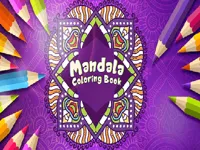
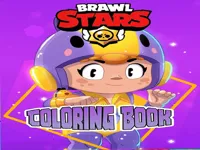
Play Coloring Books online for free, a calm creative game where you pick a picture and bring it to life with your own colors. It feels like a digital sketchbook, with simple choices that let you focus on patterns, shapes, and neat fills. If you enjoy coloring and easy drawing style games, this one is a comfortable place to start, and it works smoothly on both desktop and mobile.
Instead of rushing through levels, you can take your time and make every page look how you want. That makes it a nice pick for relaxation, but it still has a little challenge when you try to keep your fills clean and choose colors that match your idea. Whether you're playing on a phone, tablet, or computer, Coloring Books is packed with pictures you can finish in short sessions and come back to later, just like a good casual game.
Which picture will you color first?
This game is a browser-friendly coloring activity where you choose a page and fill it with colors using simple taps or clicks. It is built for quick starts and easy restarts, so you can switch designs whenever you feel like trying something new. Because it is gentle and creative, it fits well alongside other Girls Games and can also be a fun choice for kids who want something calm and screen-friendly.
Most of the fun comes from the small decisions you make: do you keep it realistic, go for bright fantasy colors, or try a limited palette. When you treat each page like a mini project, you start noticing how different color choices change the mood. Coloring a few pages in a row can also help with patience and careful clicking, especially when the shapes are small or close together.
Start by choosing a picture you want to work on, then pick a color and fill the areas on the page. If the game offers multiple shades, you can use them to add contrast by choosing lighter tones for big spaces and darker tones for details. Many players like to plan a quick color theme first, because it helps the final picture look more organized.
If the page has tiny sections, slow down and zoom or move around the canvas when needed. A good trick is to finish one area at a time so you do not miss small spots hiding near edges. When you want something more playful, try bold combinations and treat it like a color experiment rather than a perfect drawing.
Even though it is a creative activity, you can think of it like a light Puzzle Games task: scanning the page, finishing clusters, and keeping your choices consistent is part of the challenge.
You can play this game directly in your web browser, whether you're using a desktop, laptop, tablet, or mobile device.
Try not to start with the hardest page first. Pick a design with bigger shapes, finish it quickly, and then move to pages with smaller details once your hand is steady. If you make a color choice you do not like, do not panic, because the fastest improvement comes from experimenting and learning what looks good together.
When you want your pages to look cleaner, focus on edge work. Coloring the border areas carefully first helps you avoid missing thin sections, and it makes the rest of the fill feel easier. If you are playing Coloring Books on a small screen, rotating your device or zooming in can make tiny sections much less annoying.
If you like creative games with simple controls and short sessions, these picks match the same relaxed pace and hands-on play style.
Yes, you can play it in a web browser on a computer without paying. A mouse or trackpad makes it easy to pick colors and fill small areas carefully.
Press play, choose a picture you want to work on, and then pick a color from the palette. Once you start filling areas, take a second to decide a simple theme so your page looks consistent as it comes together.
Yes, Coloring Books is free to play online.
Begin with a page that has bigger shapes and fewer tiny parts, then build up to more detailed pages. Keeping a small set of repeating colors helps your first pictures look better right away.
You can play it on NiaGames directly in your browser. It loads like a normal web game, so you can jump in quickly and switch to a new page whenever you want.
No download is needed. Just open the game page and play, which is helpful if you are using a shared device or want to start instantly.
Yes, it works on phones and tablets with touch controls. Tapping to fill areas feels natural, and zooming in helps when the page has small shapes.