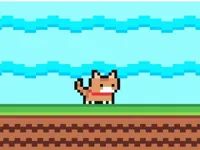
image bg Cat Face
image Cat Face
Cat Face
Play Now
Game loading..
25
image bg Cat Face

Cat Face

Cat Face

Play Cat Face Online for Free

Play Cat Face, a fun Puzzle game you can enjoy instantly in your browser. No Download, Free to Play, and playable on PC, mobile, and tablet.

Genre: Puzzle | No Download | Free to Play

About Cat Face

Cat Face is a light browser puzzle that leans on simple choices, quick rounds, and clear visuals. If you like playful animal themes, this one keeps the focus on the kind of cute details you can notice fast and learn to spot even faster.

Because it plays like a quick casual challenge, it works well in short sessions. You can jump in, make a few attempts, and feel progress without needing a long setup or complicated rules.

Why Players Like Cat Face?

Most players stick with it because the goal is easy to understand, but clean runs still take attention. It also fits a relaxed puzzle mood where small improvements matter more than perfect reactions.

  • Clear feedback: You usually know right away what worked and what did not.
  • Short attempts: A run ends quickly, so practice feels natural instead of tiring.
  • Focus friendly: It is a comfortable 1 Player pick when you want something simple and self-paced.
  • Easy to return to: Even after a break, the basics come back fast.

How to Play Cat Face Online?

Load the game in your browser, start a round, and follow the on-screen prompts. On phones and tablets, it plays nicely as a mobile game, and the actions usually feel natural on a touchscreen without requiring tiny precision taps.

Cat Face Gameplay

The main loop is built around quick visual decisions. You look at what is shown, choose the best match, and try to stay accurate as the pace picks up or the differences get harder to notice.

As you get deeper into a session, it often becomes more about recognition than guessing. Treat it like a memory and observation exercise: spot the important detail first, then confirm it before you commit.

Features

  • Simple puzzle rounds: Easy-to-read challenges that focus on quick decisions rather than complicated controls.
  • Fast restarts: Short attempts make it easy to practice and improve without waiting.
  • Visual focus: Success comes from noticing small differences and building better habits.
  • Browser friendly: Works smoothly across desktop and mobile devices with familiar inputs.

What Makes It Special?

It stays enjoyable because the pressure comes from your own consistency, not from messy rules. When you slow down just enough to stay accurate, your results usually improve quickly, and that feeling of control is what keeps runs satisfying.

Tips and Tricks

Better scores come from a calm routine more than speed. Build a quick checklist you repeat every round, and you will avoid most early mistakes.

  • Scan in the same order: Check the biggest features first, then confirm smaller details at the end.
  • Do not rush the first click: A fast wrong answer costs more than a slightly slower correct one.
  • Use the edges: If details look similar, compare the outer shapes and spacing before anything else.
  • Reset your focus: After a mistake, take one steady breath and treat the next round like a fresh start.
  • Watch for repeated patterns: If the game repeats a style of trick, expect it again and stay ready.
  • Keep your pointer centered: On PC, staying near the middle reduces panic movement when choices appear.
  • Tap with intent: On mobile, avoid rapid tapping and aim for one clean input each time.
  • Stop chasing perfection: Consistent accuracy beats occasional lucky streaks.

Troubleshooting

If Cat Face is not working properly, try this:

  • Refresh the page and restart the game.
  • Clear browser cache/cookies.
  • Disable ad blockers or conflicting extensions.
  • Update your browser to the latest version.
  • Check internet stability.
  • Try another browser or device.
  • On mobile, close background apps for better performance.

Games similar to Cat Face

If you enjoy short, visual-focused rounds and simple controls, these picks keep a similar easy-to-restart pace.

Explore more Puzzle Games for more quick challenges.

Game Details

  • Requirements: To play, you only need a computer, an internet connection, and a web browser. No downloads!
  • Technology: HTML5.
  • Platform: Browser (PC, Mobile, Tablet).
  • Category: Puzzle Games

Controls

PC Controls

  • Move: Mouse pointer (or touchpad).
  • Action: Left click to select.
  • Pause/Menu: Esc (or use the in-game menu button).

Mobile Controls

  • Move: Tap and drag where needed.
  • Action: Tap to select.
  • Menu: Tap the on-screen pause/menu button.

FAQ

Can you play Cat Face online for free on a computer?

Yes. You can play it directly in your browser on a computer, with no installation required.

What is Cat Face?

It is a simple browser puzzle that focuses on quick visual choices and staying accurate as the challenge tightens.

How do I start playing?

Press play, follow the first prompt, and take a second to understand what detail the round is asking you to notice before you choose.

Is the game free?

Yes, Cat Face is free to play online.

Any tips for beginners?

Go for steady accuracy first. Once you stop rushing the first click and learn a simple scan order, runs usually last longer.

Where can I play Cat Face?

You can play it on NiaGames in your browser on PC, mobile, or tablet.

Do I need to download anything?

No. It loads in the browser, so you can start playing without downloads.

Can I play on mobile/tablet?

Yes. It works on phones and tablets, and touch controls are a comfortable way to play.

Play Cat Face