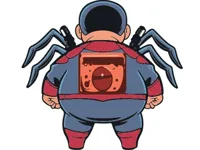
Play Spider Boy, a fun platform arcade game you can enjoy instantly in your browser. No Download, Free to Play, and playable on PC, mobile, and tablet.
Genre: Platform Arcade | No Download | Free to Play
Spider Boy is a quick, skill-first game where you guide a nimble character through hazards, gaps, and tight timing windows. It plays like a classic browser platformer: you react fast, keep your momentum, and learn the level patterns through short retries.
The best part is how readable the action feels. You are rarely guessing what went wrong. If you mistime a jump or clip a hazard, you know exactly why, and the next attempt is instantly better. That makes it a great fit for players who like platform games that reward practice more than grinding.
Even if you normally bounce between short rounds in Arcade Games, this one stays engaging because every run teaches you something useful: when to slow down, when to commit, and when to take a safer line.
It is easy to start and hard to master in a fair way. Spider Boy keeps the goal simple, then asks you to execute cleanly. Small improvements stack quickly, especially once you stop rushing the early sections and start treating them as “free” progress.
Players also enjoy the pace. There is enough pressure to keep your focus, but rounds are short enough that a mistake does not feel punishing. If you like that “one more try” loop, you will probably feel at home here, the same way you might in fast jump-focused games like Jump Mania.
The movement tends to feel snappy, and that makes planning possible. Once you understand your jump timing, you can set a rhythm and keep it, rather than reacting in panic. That rhythm is a big reason Spider Boy works so well as a replayable browser game.
Open the game page and start a run. Your job is to move through the course, avoid hazards, and reach safe ground without losing your flow. Most levels reward steady timing more than maximum speed, so it helps to treat the first attempts as scouting runs.
On PC, you will usually move with the keyboard and jump with a single action key. On mobile, you will tap or use simple gestures to control movement. Because the game often plays in a side-scrolling layout, you can look ahead and prepare for what is coming rather than reacting at the last moment.
If the game includes quick restarts, use them smartly. After a mistake, take one second to name the reason you failed, such as “jumped too late” or “landed on the edge,” then try again with that single fix in mind. That approach is how most players get consistent at Spider Boy in just a few sessions.
Spider Boy centers on simple movement decisions that turn into satisfying execution. You run, jump, and weave through obstacles that punish sloppy timing. Some stretches feel safe and predictable, while others add pressure with tighter landings or hazards placed exactly where you want to jump.
Early on, it is tempting to sprint through everything, but the game usually rewards controlled movement. A small pause before a risky jump often saves the entire run. If there are sequences where you must chain moves quickly, think of them as a pattern: commit to a rhythm and let muscle memory do the work.
Difficulty typically builds by reducing your margin for error. Platforms get smaller, hazards appear in more awkward spots, and you are forced to jump from less comfortable angles. That is where the game becomes more of a timing puzzle than a pure reaction test. You are not just moving fast, you are choosing the right moment to move.
One useful habit is to identify “decision points,” spots where you can safely slow down and reset your timing. Good runs in Spider Boy often come from treating those safe spots as anchors. From there, you can handle the risky sections with a clear plan instead of a guess.
If you enjoy games where the main skill is clean movement under light pressure, you might also like quick-retry platform runners such as Mini Dash. The feeling is similar: tiny mistakes matter, and progress comes from calm repetition.
Spider Boy feels satisfying because it turns basic controls into meaningful choices. A single step forward or a tiny delay can be the difference between a clean landing and a reset. That makes every section feel like a small challenge you can solve with better timing.
It also encourages a steady “flow” style of play. Instead of constantly changing rules, the game asks you to apply the same fundamentals under tougher layouts. If you like staying in rhythm and building speed through confidence, the loop can be very addictive, especially for fans of dash-paced action.
The fastest way to improve in Spider Boy is to stop treating every run as a race. Aim for clean, repeatable movement first, then speed up once you can clear early sections without thinking. Consistency beats risky hero jumps almost every time.
If you keep failing at the same obstacle, do not brute-force it at full speed. Slow down and test different timings until you find the safe window. That mindset is similar to how you improve in pattern-based arcade runs like Penguin Dash, where calm repetition wins.
Also, try to recognize the traps that trick your eyes. If you find yourself jumping too early because the platform looks closer than it is, deliberately count a half-beat before pressing jump. That small adjustment often turns a frustrating section into a reliable one.
If Spider Boy is not working properly, try this:
If you like quick retries, clean jumping lines, and steady momentum, these games match the same movement-focused pace.
Yes. Spider Boy is playable online in your browser on a computer, with no install required.
Spider Boy is a platform arcade game focused on timing, clean jumps, and avoiding hazards across short, replayable runs.
Open the game page, press start, and use simple movement controls to clear the first obstacles. Spend your first few attempts learning the jump timing before trying to play fast.
Yes, Spider Boy is free to play online.
Go for consistency first. In Spider Boy, pick a reliable jump spot, avoid rushing tight sections, and treat each mistake as a clue about timing rather than a reason to spam retries.
You can play Spider Boy right here on NiaGames in your browser, alongside other short-session action titles like Only Up.
No. Spider Boy runs in your browser, so you can start playing without downloading anything.
Yes. Spider Boy works on mobile and tablet with touch controls, making it easy to play quick runs anywhere.