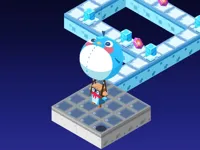
Play Mini Dash, a fun Arcade game you can enjoy instantly in your browser. No Download, Free to Play, and playable on PC, mobile, and tablet.
Genre: Arcade | No Download | Free to Play
Mini Dash is built around quick movement, sharp timing, and learning a level’s rhythm through short retries. The main idea is simple: you move fast, commit to jumps or dashes, and try to reach the end without getting clipped by hazards or missing a landing.
Because runs are short, the game encourages you to experiment. One attempt can be about scouting the next platform, the next can be about taking a safer route, and the next can be about pushing speed once you understand the spacing. If you enjoy tight reactions, you will probably also like games tagged skills where improvement is mostly about practice and consistency.
It also fits well into a “play for a few minutes” routine. You can squeeze in a couple of tries, learn one tricky section, then come back later without feeling lost. That short-session design is a big reason online browser games like this stay popular.
Players like the clarity. In Mini Dash, you rarely wonder why you failed, because mistakes are usually obvious: a late jump, a dash that carried too far, or a landing that was slightly off. That makes progress feel fair and repeatable.
There is also a nice “one more try” loop. Each run teaches you something small, like where to slow down, which gap needs a full commitment, or when patience is better than rushing. If you are the type who enjoys clean movement challenges, you might also enjoy Rodha for another timing-focused platformer feel.
Finally, it is satisfying because speed matters, but it is not the only path to success. You can play cautiously and still win, then gradually turn the same route into a smoother, faster run once you trust your timing.
To start playing Mini Dash, focus on reading the next two platforms rather than staring at your character. Most failures in fast platform games happen because you react to what is under your feet instead of what is coming next.
On early attempts, treat each section like a small checkpoint even if the game does not label it that way. Clear one obstacle cleanly, then immediately plan the next landing. If you try to “wing it” at full speed from the start, you may survive the first hazards but lose control when the spacing gets tighter.
As you improve, you can link actions together. A clean sequence often looks like this: approach with a controlled speed, jump at a consistent marker, then dash only after you know your landing is safe. That kind of rhythm is common in dash games, where committing too early is usually the difference between a clean clear and an instant reset.
Mini Dash is a fast arcade platform challenge where your main tools are movement, jump timing, and quick decisions. The objective is to reach the end of a stage or survive a sequence of hazards by chaining safe landings. You will often need to choose between a slower, safer route and a riskier line that saves time but leaves less room for correction.
The difficulty curve usually comes from tighter gaps, faster hazard patterns, and places where you must act while the camera keeps moving. Early parts teach basic spacing. Later sections punish hesitation by placing hazards close together or forcing you to land on smaller platforms. This is where balance becomes important, because tiny over-corrections can throw off the next jump, especially in games that lean into balance and precision.
A practical way to improve is to separate “survival runs” and “speed runs.” On a survival run, slow down to learn the safest timings and identify the jump that keeps failing. On a speed run, keep your inputs minimal and consistent so your character travels the same distance each time. If you enjoy the same kind of short retry sessions, Box Jump is a good comparison because it rewards clean timing and repeated attempts.
Once you know a stage well, the fun often shifts from simply finishing to finishing smoothly. The best clears feel like you are following a pattern rather than improvising, and that is where the game becomes surprisingly relaxing even though it stays quick.
What helps Mini Dash stand out is how much it rewards clean, simple play. Instead of requiring complex combos, it focuses on doing a few actions at the right time. That makes it easy to understand in seconds, while still giving you room to tighten your movement over many runs.
It also hits a nice middle ground between relaxed and intense. You can play cautiously and treat it like a small puzzle of movement, or you can push speed and chase a smoother line. If you want a more swing-heavy movement feel, Stickman Hook 2 offers a different style of momentum control while keeping that quick-retry spirit.
When you are learning Mini Dash, aim for consistency first. Pick one approach speed and one jump timing you can repeat, then adjust only when you confirm why a section is failing. Random changes often make you feel stuck because the results become unpredictable.
Use “markers” on the screen. A marker might be the edge of a platform, a background object, or the moment your character lines up with a corner. If you jump at the same marker every time, your success rate will rise quickly because you are turning a reaction into a habit.
A common mistake is trying to play every section at maximum speed. In the later parts of Mini Dash, controlled speed is often safer because it gives you a clean jump window. If you enjoy longer “keep going” sessions where the pace ramps up, you might also browse endless games for a similar learning curve that grows over time.
If Mini Dash is not working properly, try this:
These picks match Mini Dash for quick retries, timing-heavy jumps, and that “learn the pattern, then go faster” pace.
Yes. Mini Dash runs in your browser on most modern computers, so you can play without installing anything. For smoother input timing, close heavy tabs and use an updated browser.
Mini Dash is a fast arcade platform game focused on short attempts, precise jumps, and quick movement decisions. The challenge comes from learning hazard spacing and keeping control as the stages get tighter.
Open the game, begin your first run, and play a few tries slowly to learn the jump distances. Once you find the safest timings, repeat them until they feel automatic, then increase speed only where you are confident.
Yes, Mini Dash is free to play online.
Start with consistency. In Mini Dash, pick one jump timing and repeat it using a clear visual marker. If you keep failing the same gap, practice reaching it calmly rather than rushing through earlier parts at full speed.
You can play Mini Dash on NiaGames in your browser, and it works on desktop and mobile. If you enjoy quick platform challenges, you can also explore the wider Arcade Games section for more similar picks.
No. You can start Mini Dash instantly in your browser without downloading files, which makes it easy to jump in for a few quick runs whenever you have time.
Yes. Mini Dash works on mobile and tablet with touch controls. If the controls feel too sensitive, try playing in landscape mode and keep your taps short and deliberate.