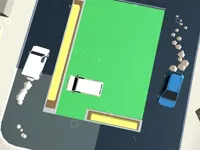
Play Car Out, a fun car puzzle game you can enjoy instantly in your browser. No Download, Free to Play, and playable on PC, mobile, and tablet.
Genre: Car Puzzle | No Download | Free to Play
Car Out is a compact parking-style puzzle where the goal is simple: clear a path and get the right vehicle out without wasting moves. Each level feels like a small grid problem where every slide matters, so you are constantly planning one or two steps ahead instead of reacting.
If you like brainy driving themes, this fits nicely next to quick browser challenges in the Puzzle Games section, but it keeps its own identity by focusing on tight spaces and clean solutions. The best runs come from spotting the “key blockers” early and moving only what actually helps.
It is satisfying because the rules are easy to read, yet the solutions are not always obvious. You can solve a stage in a messy way, or you can solve it cleanly by trimming extra slides and learning a smarter pattern.
Another reason people return is the steady difficulty rise. As the grid fills up, the puzzle starts feeling like a logic exercise where every vehicle becomes either a tool or a trap, and your job is to tell which is which as fast as possible.
Start a level, find the vehicle that needs to exit, then look for the cars that are directly blocking its lane. Your first objective is to create space, but your real objective is to create reusable space that lets you shift multiple pieces without getting stuck.
Because it is a browser game, you can jump in for a short session and reset a stage whenever a plan fails. If you want more quick retries and compact rounds, browsing the Hypercasual Games collection can give you that same pick-up-and-play feeling.
In Car Out, most of your time is spent reading the board before moving anything. A good habit is to scan for “locked” cars first, the ones that can only move a single direction and have no spare tiles, because those usually set the limits of what is possible.
As levels get denser, the puzzle becomes less about the exit car and more about rearranging the middle. You will often need to move a car away, move a second car into the space you created, then slide the first car again to open a longer lane. That back-and-forth is where most mistakes happen, especially when you chase a short opening that does not stay open.
Some stages also feel like a small traffic situation: one bad slide can cause a chain of blocks that forces extra moves to recover. When that happens, rewind mentally and try to identify the earliest “unnecessary” move, because removing it usually fixes the whole sequence.
Car Out shines when you treat every move as a trade. You are either buying space, preserving space, or spending space, and the best solutions do more than one of those at the same time.
It also rewards patience. Instead of rushing to free the exit lane immediately, you often get a better result by building a “parking pocket” first, a safe empty area that lets you rotate blockers in and out without collapsing your progress.
Before your first move, decide what space you are trying to create. If you cannot explain the purpose of a slide, it is probably a move you can skip, and skipping it keeps the board flexible.
Try this simple pattern: free one tile, then use that tile to free a second tile somewhere more valuable. In Car Out, the first opening is rarely the one that wins the level, it is just the step that lets you reach the real opening.
When you feel stuck, focus on the blocker closest to the exit path and work outward. Clearing the far side of the grid can feel productive, but it often does not connect to your win condition.
If you are aiming for better performance or faster clears, keep your moves consistent and calm. That mindset is similar to time-chasing games like Traffic Jam 3D, where random actions usually create more problems than they solve.
Common mistake: moving the exit car too early. Even if you can slide it forward a bit, that move may steal the only space you needed to reposition a blocker. Save those “feel good” slides until the lane is truly stable.
Another mistake is over-clearing. You do not need a wide-open board, you need a usable corridor, and extra moves that do not support that corridor usually push you into a dead end.
If Car Out is not working properly, try this:
If you enjoy tight parking boards and clearing a single route through crowded lanes, these picks keep the same stop-and-think pace with simple controls.
Yes. Car Out runs in your browser on PC, so you can start playing right away without installing anything.
Car Out is a parking puzzle where you slide vehicles to clear a route for the target car to exit. The challenge comes from limited space and choosing moves that create lasting openings.
Open the game, start a level, then look at what blocks the exit lane. Slide cars one at a time to create space, and keep your focus on building a path that stays open instead of a path that closes immediately.
Yes, Car Out is free to play online.
Make your first move count by identifying the main blocker, then create a small “parking pocket” you can reuse. If you get stuck, undo your last idea and try moving fewer cars, because the shortest solutions usually avoid unnecessary rearranging.
You can play Car Out on NiaGames in your browser. If you want more quick sessions after a few levels, you can also explore the Most Played Games page for other popular picks.
No. Car Out is designed for instant play in a web browser, so there is no download or install step.
Yes, Car Out works on mobile and tablet in a modern browser. For more touch-friendly options, the 3D Games and New Games sections can be good places to browse next.