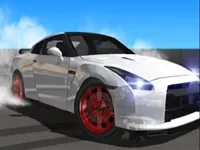
Play Drift Boss Supercar, a fun drifting game you can enjoy instantly in your browser. No Download, Free to Play, and playable on PC, mobile, and tablet.
Genre: drifting | No Download | Free to Play
If you like quick runs where one mistake can end the round, this game is built for that. The core idea is simple: keep the car on the road while you control tight corners and quick direction changes, aiming to last longer and score higher each time.
Even though it feels straightforward at first, it gets challenging because the track asks for clean timing. It fits nicely with driving games that reward control over speed, and it scratches the same “restart and improve” itch you get from hypercasual sessions.
Runs are fast, so it is easy to try again after a crash and instantly apply what you learned. That makes it satisfying for players who enjoy skill growth more than long tutorials or complicated menus.
The best moments come from nailing a sequence of turns that used to feel impossible. If you enjoy score chasing and micro-improvements, the game’s rhythm feels close to other arcade titles where consistency matters more than grinding.
Your goal is to keep the supercar on the track for as long as possible. Steer through corners with small, controlled inputs, then straighten out early so you do not drift too wide on the next bend.
Think of it like a timing game disguised as a car game. If you turn too late, you slide off the outside edge; if you turn too early, you clip the inside and lose your line. The longer you survive, the more the track demands quick corrections, which is where focus and calm hands pay off.
The main challenge is managing momentum through repeated turns. You are constantly switching between “set the angle” and “recover the line,” and the best runs come from keeping your steering smooth rather than jerky. A small correction at the start of a bend is usually safer than a big correction at the end.
Difficulty ramps up in a very practical way: the track patterns feel less forgiving, and you get shorter moments to react. That means your eyes need to look one corner ahead. When you start reading the road early, you stop reacting in panic and start driving with a plan.
Because the game is run-based, improvement is easy to measure. You can decide on one thing to fix per attempt, like “turn earlier on right corners” or “stop over-correcting after a drift.” If you want a different flavor of vehicle control after a few attempts, Drive Mad leans more into balance and physics, while still rewarding clean inputs.
What stands out is how clearly the game teaches you through consequences. When you drift off the edge, you usually know why, and that makes practice feel fair. It also makes the game a good match for players who like physics-leaning control, where tiny inputs can change the outcome.
It is also friendly for short breaks. You can play a couple of runs, set a new personal best, and stop without feeling like you left something unfinished. For a more head-to-head style of speed comparison, Drag Race is a nice change of pace.
Turn earlier than you think. Many crashes happen because you wait for the corner to arrive, then snap the steering. Start your turn slightly sooner and keep it smaller, then adjust only if needed.
Stop fighting the car after a mistake. If you drift too wide, do not over-correct with a hard swing back. Ease the steering back to center and recover gradually, or you will bounce into the opposite edge.
Use a “two-corner” mindset. Watch the next bend while you are still in the current one. Planning your exit makes the following turn feel slower and more manageable.
Keep your inputs consistent. Rapid tapping often creates wobble. Try steady, deliberate steering that matches the road curve, especially on long sequences of the same turn direction.
Practice one weakness at a time. If left turns are your problem, spend a few runs focusing only on left turn timing and ignore the score. Your results usually jump once that weak spot becomes automatic.
Try other obstacle-style runs for variety. Games like Rollance Going Balls and Traffic Jam 3D also reward clean lines and calm reactions, even if the movement feels different.
If Drift Boss Supercar is not working properly, try this:
These picks focus on quick runs, vehicle control, and that same retry-friendly pace where small improvements add up.
Yes. You can play it in your browser on a computer without installing anything, so it is easy to jump in for a quick run.
It is a browser drifting game focused on keeping your car on the road through repeated corners, aiming for longer survival and higher scores with better timing.
Start the game, begin your run, and focus on gentle steering through the first turns. Once you feel the timing, try looking ahead to the next corner so your turns become smoother.
Yes, Drift Boss Supercar is free to play online.
Turn a bit earlier, avoid over-correcting after a slide, and treat each run as practice for one small skill. Consistent inputs usually beat fast tapping.
You can play Drift Boss Supercar on NiaGames directly in your browser.
No. It runs as an HTML5 browser game, so you can play immediately with no download.
Yes. It works on mobile and tablet browsers, and the controls translate well to tapping for steering and quick corrections.