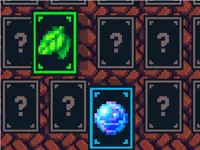
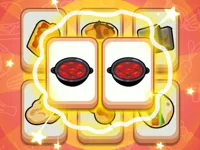
Play Card Memory Match, a fun memory puzzle game you can enjoy instantly in your browser. No Download, Free to Play, and playable on PC, mobile, and tablet.
Genre: memory puzzle | No Download | Free to Play
Card Memory Match is a classic flip-and-find game built around one simple goal: reveal cards and remember where everything is. You turn over two cards at a time, trying to make pairs while keeping track of what you have already seen. If you like calm, focused play that rewards attention, this one fits the mood.
The challenge is not about speed alone. It is about building a mental map of the board, making smart guesses, and staying consistent when the layout gets bigger. That is why players who enjoy memory games tend to stick with it for longer sessions.
It feels satisfying because improvement is easy to notice. A messy first round turns into cleaner runs as you start recognizing patterns and remembering specific spots. Even when you miss a pair, you usually learn something useful for the next attempt.
It also works well as a short break game. You can play a quick round between tasks, or keep going to beat your best performance. If you enjoy simple brain workouts similar to Brain Test Tricky Puzzles, you will probably like the steady “one more try” pull here.
Start the game and take a second to scan the board before you flip anything. Your first few flips should be about collecting information, not forcing matches. After that, you begin pairing what you have seen and reducing the number of unknown cards on the table.
Card Memory Match is at its easiest when you play with a plan. Try to uncover new cards in a consistent path instead of jumping around randomly. If you ever feel stuck, slow down and rely on what you already learned rather than guessing over and over.
Each turn is a simple two-step cycle: flip one card, then flip a second card to try to create a matching pair. If the two cards match, they stay revealed and the board becomes smaller. If they do not match, they flip back, and you need to remember both positions for later.
As rounds progress, the difficulty usually rises through larger boards, more unique symbols, or tighter expectations around moves or time. The more cards you have to track, the more valuable it becomes to keep your flips organized. When the layout feels busy, think of it like sorting information, similar to how you would approach Ball Sort, but with memory instead of colors.
Good play in Card Memory Match is mostly about decision quality. If you know the location of a card you need, use it immediately to secure the pair. If you do not know, flip a new card to expand your knowledge. That balance, between confirming known pairs and exploring unknown spaces, is what makes the game feel skillful rather than random.
Some boards tempt you into “hope flips,” where you pick a second card without a real reason. It can work, but it is usually less efficient than gathering information first. Treat each non-match as a note you can use later, and you will see your results improve fast.
Card Memory Match stands out because it turns a simple idea into a real learning curve. Early rounds are about basic recall, but later boards reward consistent methods like “scan rows, then confirm pairs,” which helps you stay calm even when the board is packed.
It also taps into the same satisfying feeling as tile and pattern games, but with less pressure. If you enjoy matching and sorting puzzles like Triple Tile Match Fever Game, you will recognize the rhythm: observe, commit information, then execute clean moves.
In Card Memory Match, your first five to ten flips often decide how smooth the rest of the round will feel. Use the opening to reveal unique icons rather than repeatedly checking areas you already know. The faster you build a mental index, the less you rely on luck later.
Try these habits for more consistent clears:
A common mistake is flipping the same few cards too often “just to be sure.” That usually wastes moves and breaks your mental flow. Another is rushing on bigger boards, where a slightly slower pace helps you lock in positions. If you want more brainy play that still feels light, browsing skills focused titles can help you find similar challenges.
When you hit a tricky layout in Card Memory Match, take a brief pause after each mismatch and repeat the two locations in your head. That tiny reset keeps you from forgetting key positions. Over time, you will notice you can store more locations at once, which is basically the whole point of improving at this style of puzzle.
If Card Memory Match is not working properly, try this:
If you like the same calm pace and “observe then match” loop, these games focus on pattern spotting, pairing, and careful choices.
Yes. Card Memory Match runs in your browser, so you can play it for free on a computer with no download needed.
Card Memory Match is a memory puzzle where you flip two cards at a time and try to find matching pairs. The round ends when you clear all pairs from the board.
Open the game, begin flipping cards to reveal icons, and try to remember each position. After you spot a match, flip the two matching cards to keep them revealed and shrink the board.
Yes, Card Memory Match is free to play online.
In Card Memory Match, focus on learning the board first. Flip new cards in a consistent order, confirm any pairs you already know, and avoid making blind second flips unless you have no better option.
You can play Card Memory Match right here on NiaGames, directly in your browser. If you enjoy quick puzzle sessions, you can also explore more online games on the site.
No. Card Memory Match is an HTML5 browser game, so it runs instantly without installing anything.
Yes, Card Memory Match works on mobile and tablet with touch controls, so you can flip and match cards the same way you do on PC.