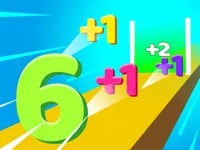
Play Colors, a fun Puzzle game you can enjoy instantly in your browser. No Download, Free to Play, and playable on PC, mobile, and tablet.
Genre: Puzzle | No Download | Free to Play
If you enjoy quick, clean brain teasers, this one fits right in with other puzzle picks. It also sits nicely next to our Best Games list when you want something easy to start and hard to put down.
Colors is a compact browser game built around recognizing and organizing different shades and patterns. The idea is simple, but the decisions add up fast when similar tones start showing up and the board gets busy.
It is a good match for players who like color-focused challenges where you win by staying calm and thinking one move ahead. Most rounds feel short, so it works well for quick breaks or a longer session of improving accuracy.
Many players enjoy the clear rules and low-pressure pace. It has that casual feel where you can learn by trying, restarting, and spotting better patterns each time.
It also rewards a relaxed mindset. When you slow down and read the board, it can be surprisingly relaxation-friendly, even while it is still testing your attention to detail.
Click play and let the level load in your browser. The game is designed for 1 Player sessions and works well on touch devices too, so you can switch between desktop and mobile without changing how you think about the puzzle.
Your goal is to make correct color choices consistently, keeping the layout organized as new pieces or options appear. When the screen offers close shades, take an extra moment before committing.
The core loop is about matching, grouping, or selecting the right colors based on the current layout. You usually succeed by creating clear sets and avoiding messy splits that leave you with hard-to-fix leftovers later.
Difficulty tends to rise by adding more colors, introducing closer shades, or reducing the time you have to decide. That is when a bit of logic helps, because you start planning for the next two or three moves instead of only solving what is right in front of you.
If you make a mistake, the best recovery is often to stabilize the board first. Get back to clean groups, then push for bigger clears or cleaner placements once the layout looks readable again.
What stands out is how small decisions matter. A move that looks fine now can block better groupings later, so improvement comes from learning patterns, not from memorizing a single solution.
Colors also encourages better screen awareness. Once you start scanning for “problem shades” and keeping your groups clean, you feel the progress quickly, and that is what keeps runs interesting.
Start by making the board easy to read. Clean groupings reduce mistakes, especially when colors are close and your eyes want to rush.
If Colors is not working properly, try this:
If you like the same quick-thinking puzzle pace with simple rules and repeatable runs, try these picks:
Want more in this style? Explore more Puzzle Games
Yes. You can play in a browser on your computer without installing anything, as long as you have a stable internet connection.
It is a browser puzzle game where you focus on recognizing, matching, or organizing colors accurately as the challenge ramps up.
Open the game page and press play. Once the round begins, follow the on-screen prompts and use simple clicks or taps to make your choices.
Yes, Colors is free to play online.
Go slower than you think you need to at first. Make clean groups, avoid rushed taps on similar shades, and you will improve quickly over a few runs.
You can play it on NiaGames, and you can also find more titles to try by browsing New Games.
No. It runs in your browser, so you can start playing right away without downloads or installs.
Yes. The game works on mobile and tablet browsers, and touch controls are designed to feel natural for quick puzzle actions.