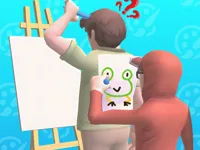
Play Guess The Drawing, a fun Puzzle game you can enjoy instantly in your browser. No Download, Free to Play, and playable on PC, mobile, and tablet.
Genre: Puzzle | No Download | Free to Play
This is a quick browser game built around reading simple sketches and turning them into the right word. It sits in that sweet spot between a light puzzle and a relaxed drawing challenge, so you can play for a minute or stick around for a longer streak.
Most rounds are about observation: you notice a key shape, ignore messy lines, and lock onto the one detail that makes the picture obvious. Because it is easy to restart and learn from mistakes, it also works well as a low-pressure way to practice guessing and pattern recognition.
It is simple to understand, but it still rewards careful thinking. You can be fast and grab the first idea that comes to mind, or slow down and compare a few possible answers before you commit, which makes it a good casual pick for short breaks.
The theme is friendly and accessible, so it fits different ages and skill levels. Many players treat it like a shared activity at home, especially if they enjoy family games that are easy to explain to kids without long tutorials.
Start a round, look at the sketch, and enter the answer using the on-screen input. If a guess is wrong, adjust quickly by focusing on the most defining part of the picture rather than the extra lines and distractions.
The core loop is straightforward: a drawing appears and you try to identify what it represents, usually as a single word or a short phrase. The best approach is to break the image into parts, spot the outline first, then use smaller clues like props, letters, or repeated shapes to confirm your idea.
Difficulty often comes from drawings that are incomplete, messy, or intentionally simplified, so you are relying on recognition instead of detail. If your early guesses keep failing, treat it like a process of elimination and keep one eye on what the drawing cannot be, not just what it might be.
Since it runs smoothly in a browser and fits quick sessions, it is easy to switch devices and continue playing on the go. If you prefer short rounds on touchscreens, the game’s pace fits well with mobile play and typical HTML5 controls.
The fun comes from the moment a confusing scribble suddenly becomes obvious. When you get stuck, the game pushes you to change your viewpoint, and that small mental shift is what keeps rounds from feeling repetitive.
It also teaches a useful habit: focus on the strongest clue and ignore noise. Over time, you start recognizing common shortcuts in sketches, which helps you guess faster even when the drawing is minimal.
When you miss an answer, do not rush into the next round with the same mindset. Use the mistake to build a small checklist of what you should look for first: outline, category, and one unique detail that confirms your guess.
Guess The Drawing rewards calm guessing more than frantic clicking. A one-second pause to confirm the most defining clue usually saves you more time than any quick random attempt.
If Guess The Drawing is not working properly, try this:
These picks focus on quick rounds, clue-based thinking, and the same kind of guess-and-confirm pacing.
Yes. You can play it in your browser on PC without paying and without installing anything.
It is a picture-based word game where you identify what a simple drawing represents and enter the correct answer.
Open the game page, press Play, and begin the first round. Read the sketch, then type your guess using the input.
Yes, Guess The Drawing is free to play online.
Focus on the outline first, then confirm with one unique detail. If you get stuck, list a few alternatives before guessing again.
You can play it on NiaGames directly in your web browser.
No downloads are needed. It runs in the browser, so you can start instantly.
Yes. It works on mobile and tablet browsers, and the controls translate well to touch input.