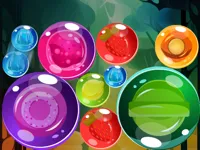
Play Rock Art, a fun drawing game you can enjoy instantly in your browser. No Download, Free to Play, and playable on PC, mobile, and tablet.
Genre: drawing | No Download | Free to Play
Rock painting is one of those simple activities that feels good right away: pick a shape, choose a color, and watch your design come to life. This game turns that idea into quick browser sessions where you decorate rock-style canvases with clean, satisfying steps. If you enjoy calm coloring or light drawing, it fits that same relaxing rhythm without needing any setup.
Most rounds are built around filling areas neatly, matching colors to outlines, and building patterns that look balanced from a distance. You can take your time for tidy edges, or play faster and fix small slips as you go. It is an easy pick when you want something peaceful that still rewards attention to detail.
It is satisfying because progress is visible with every stroke. Even small choices like picking a lighter shade first or saving bold colors for the end can change how the final rock looks. That sense of control is why it pairs well with chill categories like relaxation and casual play.
Players also like that the goal is clear. You are not memorizing long rules or reacting at high speed. Instead, you focus on neat fills, clean color transitions, and finishing a design you would actually want to show off.
Start a round, choose a rock design, and follow the on-screen prompts to paint it section by section. In most cases you will select a color, then tap or drag across an area to fill it smoothly. If you want a faster flow, begin with larger spaces and leave tiny corners for last.
If you are playing on a phone or tablet, treat it like a touch-friendly mobile activity: short sessions, quick restarts, and easy one-hand play. On desktop, a mouse gives you more control for crisp edges and careful work.
The core loop is straightforward: pick a palette and apply it to a rock-themed canvas until the picture is complete. The game leans on precision in a friendly way, where clean coverage and consistent color choices make your design look polished. You can often correct small mistakes by repainting an area, so it feels forgiving while still encouraging you to slow down for better results.
Difficulty usually ramps up through detail rather than speed. Early designs tend to have bigger sections and fewer color changes, while later ones may include smaller shapes, tighter borders, or more frequent switches between shades. The main challenge becomes keeping your hand steady, avoiding accidental spills into nearby zones, and choosing a sensible order so you do not miss thin lines or tiny islands of color.
As you get comfortable, the fun shifts from simply finishing to finishing cleanly. You might try smoother gradients where possible, stronger contrast between neighboring areas, or a consistent highlight color that ties the whole design together. When you replay, you can test a new palette approach and compare what looks best.
Unlike a typical puzzle that ends as soon as you find a solution, this one feels more like finishing a small craft project. The “win” is not just completion, it is how clean and balanced the final rock looks. That makes every round a little personal, even when the template stays the same.
It also works well as a break game. If you want something calm after a tougher brain teaser like Brain Test Tricky Puzzles, painting a design one section at a time can be a nice reset without feeling pointless.
Start with broad, easy areas to build momentum, then move into the smaller pieces once your eyes are trained on the outlines. This keeps early mistakes low and helps you learn the palette faster. If the design has lots of tiny gaps, zoom in mentally and treat it like a sequence of small wins instead of one big picture.
Common mistakes usually come from rushing the corners. If you slip into a neighboring area, do not panic. Repaint that edge carefully and keep going. For extra inspiration, you can compare the calm pace here with other creative picks like Coloring Books and notice which style you prefer.
If Rock Art is not working properly, try this:
If you like decorating designs section by section and seeing a finished picture at the end, these games match the same creative, low-stress pace.
Yes. Open the game in your browser and start painting right away, with no install required. If you are browsing for more browser-friendly options, you can also explore Best Games for quick picks.
It is a casual painting game where you decorate rock-style designs by selecting colors and filling sections neatly. The main goal is to finish the picture cleanly, with careful edges and consistent coverage.
Load the page, pick a design, then select a color and begin filling the highlighted areas. If you prefer trying something new afterward, checking New Games is an easy way to find more fresh titles.
Yes, Rock Art is free to play online.
Work from big shapes to small details, and do not rush corners. If you keep slipping over borders, slow down and use shorter drags, especially when switching between close shades. It also helps to treat each section like a tiny puzzle and focus on clean coverage.
You can play it right here on NiaGames in your browser. For more creative and calming picks, browsing the Html5 Games tag can surface other easy-to-run titles.
No downloads are needed. Just open the game in a supported browser and begin painting. If performance feels off, try refreshing or switching browsers before changing any settings.
Yes. The touch controls make it a natural fit for phones and tablets, especially for short breaks and relaxed sessions.