Play My happy place, a fun Relaxing Puzzle game you can enjoy instantly in your browser. No Download, Free to Play, and playable on PC, mobile, and tablet.
Genre: Relaxing Puzzle | No Download | Free to Play
This is a cozy pick for players who like gentle challenges and a calm pace. If you want more games with a similar mood, browsing the Featured Games page is an easy way to find quick favorites, and New Games is great when you want something fresh.
It also fits nicely alongside other relaxation titles, where the main goal is to feel in control instead of rushing. You still get satisfying “clean” solutions, but the vibe stays comfortable.
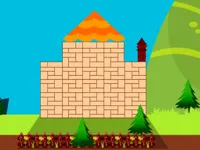
My happy place focuses on building a small space that feels tidy, personal, and pleasant to look at. The round-to-round flow is usually simple: you are given a scene, you make a few choices, and the screen responds in a way that encourages thoughtful adjustments.
Because the theme is about comfort, the challenge tends to come from planning rather than speed. You might be arranging items, matching a prompt, or making changes that help the scene feel more organized, which keeps the experience steady and easy to return to.
If you enjoy light creative tasks, it sits close to the decorate style of play. The best results usually come from noticing small details and keeping your layout simple instead of trying to do everything at once.
A lot of players enjoy how low-pressure it feels. You can take your time, check the screen, and make a move when it feels right, which makes it a comfortable choice after a long day.
It also rewards gentle problem-solving. When you treat each step as a small improvement, you start seeing patterns in what works, and your decisions feel more confident over time.
Finally, it works well as a solo experience. If you prefer 1 Player games you can start and stop whenever you want, the format is an easy fit for short breaks and longer relaxing sessions.
Start by taking a quick look at the whole scene before making your first move. The fastest way to improve is to decide what “finished” should look like, then make changes that move the screen toward that goal.
Try to make one clear adjustment at a time. When you change too many things at once, it is harder to understand what helped and what created new clutter.
On mobile, careful taps and short drags usually feel best. The touchscreen approach makes it easy to fine-tune small placements once you settle into the pace.
The gameplay centers on small decisions that shape a cozy scene. You are typically managing a limited space, so each choice matters: placing something in the wrong spot can block a better option later, while a clean move can open up your next step.
Rounds often feel easiest when you think in priorities. Handle the biggest visual or functional problem first, then move to smaller tweaks, and finish by cleaning up anything that looks out of place. That mindset keeps you from chasing tiny details too early.
Difficulty usually increases through tighter constraints. You may have less room to work with, more elements to consider, or goals that ask for a specific kind of order. Players who like this style often enjoy other puzzle games for the same reason: the best solutions are the ones that stay simple and intentional.
It stands out because the goal is not just “win,” but “make it feel right.” That creates a different kind of satisfaction, where a clean result looks and feels better than a messy one, even if both technically work.
Another nice touch is how approachable it is. You can play casually for the mood, or you can treat it like a small optimization puzzle where every move is chosen to keep the scene tidy from start to finish.
Think in layers: fix big issues first, then handle medium adjustments, and save tiny details for last. That keeps you from wasting time on small changes that you might undo later.
Try to keep an open area available whenever possible. A little breathing room makes it easier to correct mistakes without having to rearrange the entire scene.
Common mistakes usually come from acting too quickly. People often place items wherever they fit, then realize they blocked a cleaner solution later.
When you settle into this approach, My happy place becomes more consistent, because you are solving the scene instead of reacting to it. The rhythm is calmer when your moves are deliberate.
If My happy place is not working properly, try this:
If you enjoy calm creativity and tidy, step-by-step progress, these games match the same relaxed pace and light decision-making.
Yes. You can play it for free in your browser on a computer, with no installs needed.
It is a relaxing puzzle game with a cozy theme, where you make small choices to build a tidy, satisfying scene.
Open the game, look over the whole scene, then make one simple move that clearly improves the layout. After that, keep adjusting one step at a time.
Yes, My happy place is free to play online.
Start slow and focus on keeping space available. Fix the biggest problem first, then move to smaller tweaks instead of trying to perfect everything in the first few moves.
You can play it on NiaGames directly in your browser on PC, mobile, or tablet.
No. It runs in your web browser, so you can start playing without downloading or installing anything.
Yes. It works on mobile and tablet, and the touch controls are well suited for careful tapping and dragging.