Play Event Space, a fun 3D Mini-Game Adventure game you can enjoy instantly in your browser. No Download, Free to Play, and playable on PC, mobile, and tablet.
Genre: 3D Mini-Game Adventure | No Download | Free to Play
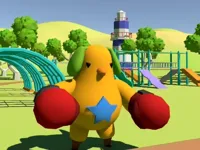
Event Space drops you into a 3D amusement park hub where you can walk around, explore attractions, and jump into short activities whenever you feel ready. Instead of forcing you down one strict route, the park layout encourages you to try something, move on, then come back later with a better plan or quicker reactions.
The main idea is simple: roam, spot an activity, follow the prompt, then finish a quick challenge and keep exploring. If you enjoy browsing open areas in 3D Games, this one is built around that relaxed, pick-your-own-pace style.
Each attraction is meant to feel self-contained, which makes it easy to play in short sessions. Between the park hub and the mini-games, it has the feel of a playful 3D Games experience where curiosity matters as much as skill.
Players like having variety without a long setup. You can explore for a bit, try a challenge, and switch to something else before it gets repetitive, which fits the rhythm of a casual browser game.
It also works well for quick turn-taking, especially if you are playing alongside someone and comparing how you do on the same activities. The friendly tone makes it an easy pick for a family play session where the goal is to have fun, not to grind.
Load the game in your browser, choose a character if the game asks, then start moving through the park to find attractions. When you reach an activity, follow the on-screen prompt to begin, and keep an eye out for new spots to try next.
On PC, the keyboard and mouse are usually enough for smooth movement and camera control. On mobile, use touch controls to move and tap prompts, and consider playing in landscape mode so the on-screen buttons are easier to hit.
The core loop is hub exploration plus mini-games. You walk through the amusement park, approach an attraction, then complete a short challenge that may test timing, memory, simple choices, or basic hand-eye coordination.
Because it is a mini-game collection, the objective changes from one attraction to the next, but the structure stays consistent: start quickly, learn the rules in a few moments, then aim for a cleaner run. Many activities reward you for staying calm and paying attention to what the game is asking, which is why it fits well under the puzzle umbrella even when the challenge is light.
Difficulty usually ramps up by asking you to react faster, handle more steps in the same time, or keep track of more information at once. When that happens, it helps to treat your first attempt as practice, then repeat the activity with a simple plan instead of trying to win by guessing.
Instead of locking you into one repeated level, the game uses the park as a shared space that connects lots of small challenges. That setup makes it easy to play for five minutes or for a longer session, and it also makes it a nice option for kids who like exploring first and competing second.
Spend your first few minutes learning the park layout so you can return to the attractions you like most without wandering aimlessly. If you run into a tricky activity, slow down, read the prompt carefully, and focus on one improvement per retry rather than changing everything at once.
If Event Space is not working properly, try this:
If you enjoy short activities, simple goals, and quick retries, these picks offer a similar mini-game or light challenge pace.
Yes. It runs in your web browser, so you can start playing on a computer without installing anything.
It is a 3D amusement park exploration game where you move around a hub and play short mini-games at different attractions.
Press play, wait for the game to load, then move through the park and approach attractions to begin activities.
Yes, Event Space is free to play online.
Learn the park layout first, then retry the same mini-game a few times so you can improve steadily instead of rushing.
You can play it on NiaGames directly in your browser on desktop or mobile.
No. The game plays online, so there is nothing to install.
Yes. Touch controls are supported, and landscape mode usually makes movement and prompts easier to use.