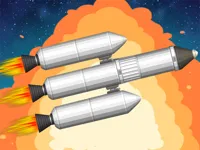
Play spaceflight simulator, a fun space simulation game you can enjoy instantly in your browser. No Download, Free to Play, and playable on PC, mobile, and tablet.
Genre: space simulation | No Download | Free to Play
This game is all about learning how rockets behave when you push them, tilt them, and try to keep them stable. You spend most of your time experimenting, then retrying with small tweaks until your next launch goes better.
If you enjoy the calm problem solving side of building something from scratch, this is a nice fit. The theme leans into space, but the real focus is on planning and control.
It also works well for short sessions because each attempt teaches you one clear lesson. Fans of trial and error play in Adventure Games will recognize the same loop of learning from mistakes and pushing a little farther each run.
The appeal comes from having a simple goal, then figuring out your own path to reach it. Success feels earned because you usually fix your own problems, whether it is a shaky takeoff, a bad angle, or running out of fuel at the wrong time.
It is also easy to set personal challenges. Some players aim for the smoothest climb, others try to stretch distance, and many focus on controlling speed and direction with less wasted movement.
Start the game, take a moment to identify the main controls, then do a quick test launch to see how sensitive turning and thrust feel. After that, treat each attempt like a mini experiment and change one thing at a time.
As you improve, you will start thinking ahead instead of reacting late. That shift is where the game becomes especially satisfying, because you are planning your next move instead of chasing the last one.
The core loop is launching a craft, controlling its direction, and trying to maintain a stable path as conditions change. You balance thrust, tilt, and timing so you do not waste momentum or lose control when the rocket starts to drift.
Most of the challenge comes from inputs that feel powerful. A tiny correction can become a large swing if you keep pressing, so the safest approach is short taps and quick checks, especially early in a run.
Difficulty usually ramps up through longer flights and tighter margins. The farther you go, the more you need to think about staying efficient, because bad angles and unnecessary turning can cost you speed and fuel that you cannot easily recover later.
If you like the theme, it helps to think in terms of flight fundamentals: stable climbs, smooth turns, and controlled speed changes. The best attempts feel calm, with small adjustments instead of constant steering.
There is also a practical side to how you set things up. Even when a craft looks fine on the pad, it can behave very differently once it starts moving, so expect to iterate and refine the design over several tries.
What stands out is how much the game rewards patience. Instead of rushing, you get better results by staying steady, reading what the craft is doing, and responding early with tiny corrections.
It also has a creative angle because your decisions change the whole feel of the run. Once you start thinking like an aircraft pilot, you stop fighting the controls and start working with them.
Use light inputs as your default. If you find yourself holding a direction for a long time, you are probably oversteering, and that usually creates a bigger problem a few seconds later.
Try to separate your goals: first stability, then efficiency, then distance or altitude. When you chase the big goal too early, you often create a wobble that ruins everything.
If spaceflight simulator is not working properly, try this:
If you enjoy physics based movement, careful control, and the feel of learning through retries, these games match that same pace and mindset.
Yes. You can launch the game directly in your browser on a PC, with no extra setup needed beyond a stable internet connection.
It is a browser based space simulation focused on building a craft, launching it, and learning how to control movement through careful steering and timing.
Press play, do a short test launch, and pay attention to how sensitive the steering feels. After that, restart and adjust one thing at a time until the craft stays stable longer.
Yes, spaceflight simulator is free to play online.
Keep your inputs small, aim for stability first, and do not change everything at once after a crash. A steady climb with fewer corrections usually beats an aggressive start.
You can play it right here on NiaGames in your web browser, whether you are on desktop or a mobile device.
No. The game runs in the browser, so you can start instantly without installing files or apps.
Yes. It works on mobile and tablet using touch controls, and you can switch devices whenever you want since it is browser based.