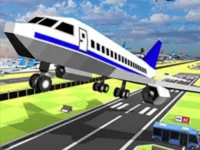
Play Real flight simulator, a fun Simulation game you can enjoy instantly in your browser. No Download, Free to Play, and playable on PC, mobile, and tablet.
Genre: Simulation | No Download | Free to Play
This game is all about controlling an aircraft from moment to moment and keeping it stable while you aim for clean takeoffs, smooth turns, and safe landings. It leans on the basics that make flying feel satisfying: speed control, gentle steering, and learning how small inputs change the plane’s attitude.
Because it plays like a flight experience first, it rewards calm decision-making over rushing. You will spend a lot of time watching how the plane responds when you climb too steeply, turn too sharply, or approach the ground with the wrong speed, then adjusting on the next attempt.
If you already enjoy aircraft games, the rhythm will feel familiar: line up, commit to a plan, and fix problems early instead of at the last second. Players who prefer classic airplane handling usually like the simple cause-and-effect feedback in each maneuver.
It also fits nicely in the broader simulator space, where practice matters more than perfect knowledge. Even if you are new to simulation games, you can improve quickly by repeating one short pattern and noticing one small mistake each time.
Visually, it sits in the family of 3D games, where depth and camera angle help you judge altitude and alignment. That extra perspective makes it easier to learn landing approaches and spot when your wings are not level.
Most people enjoy it because progress feels real. The first few runs might be messy, but you can usually tell exactly what went wrong, and the next attempt becomes a simple test: change one thing and see if it fixes the issue.
There’s also something satisfying about a clean landing that you earned through practice. When you finally approach at a steady speed, line up early, and touch down without bouncing, it feels like a small personal win rather than a lucky moment.
It works well as a short-session game, too. You can do a few focused tries, then move on, which is why players often discover this type of title while browsing collections like Featured Games or checking what just arrived in New Games.
Start by getting comfortable with gentle control. On your first takeoff, focus on keeping the plane straight, then lift off smoothly instead of yanking upward. A steady climb with small corrections is safer than trying to gain height as fast as possible.
Once you are in the air, pick one simple goal per run. Try holding altitude for a few seconds, then try a wide turn, then try lining up with a clear direction before you descend. Breaking it down like this makes learning faster and keeps frustration low.
When you decide to land, plan earlier than you think you need to. Reduce speed gradually, point the nose where you want to go, and keep the wings level. If the approach becomes unstable, it is usually better to climb and reset rather than forcing a bad landing.
The core gameplay loop is controlling a plane through basic phases of flight: accelerating, climbing, cruising, turning, and descending. Your main objective is staying in control, which means keeping speed and angle reasonable while you steer toward a safe touchdown or a clean checkpoint-style finish.
Most of the challenge comes from balancing two things at once. If you pull up too hard you can lose speed and wobble, but if you keep the nose down for too long you can build speed and arrive at the ground unprepared. Learning how to trade altitude for speed (and the other way around) is the main skill the game teaches.
Difficulty naturally ramps as the game asks for more precision and faster corrections. Early attempts are about learning what each input does, but later attempts often test whether you can recover smoothly from small mistakes, like drifting off line during a turn or coming in too high on approach.
The fun here is not about being perfect on the first try. It is about building a personal routine that works: straighten up early, make turns wide, and stay ahead of the aircraft instead of reacting late.
It also highlights recovery, which is a skill many games skip. A run does not have to be flawless to be successful, and learning how to settle the plane after a shaky moment is often the difference between crashing and saving the attempt.
If you want better results, aim for smoothness over speed. The plane usually responds best when you make one small input, wait a moment, then correct again, rather than holding controls down and fighting the movement.
Common beginner mistakes are pulling up too sharply, trying to land while still turning, and making repeated emergency corrections near the ground. Fixing those is mostly about starting your setup earlier and keeping your inputs smaller than you think.
If Real flight simulator is not working properly, try this:
These picks match the same learn-by-doing pace, with flying or physics-based control where smooth inputs matter more than rushing.
Yes. You can play it for free in your browser on a computer, and keyboard controls make it easier to fine-tune turns and landings.
It is a browser-based flight simulation game where you control an aircraft through basic flying and landing skills, focusing on steady handling and clean approaches.
Start a run, build speed, and lift off smoothly. After that, practice wide turns and set up your landing early, aiming to keep the plane stable in the final moments.
Yes, Real flight simulator is free to play online.
Make smaller inputs, turn wider than you think, and avoid forcing landings from a bad angle. If the approach feels unstable, climb a bit, reset your line, and try again.
You can play it on NiaGames in your browser. If you enjoy this style, the 3D Games section is a good place to find more titles with similar camera depth and control-focused play.
No. It runs in your browser, so you can start playing without installing anything.
Yes. Touch controls work well for gentle steering, especially if you keep movements slow and avoid rapid swipes near the ground.