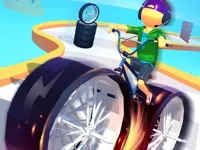
Play big wheels, a fun Driving game you can enjoy instantly in your browser. No Download, Free to Play, and playable on PC, mobile, and tablet.
Genre: Driving | No Download | Free to Play
This is a vehicle challenge built around momentum, balance, and clean landings. Instead of focusing only on speed, you will often win by controlling how your wheels touch the ground and how your vehicle reacts after bumps, drops, and ramps.
Runs are quick, so it is easy to retry and improve. If you enjoy physics-based driving where small inputs make a big difference, this fits well alongside other Car Games you can play in a browser.
The best moments come from learning how to stay stable when the track gets uneven. A clean approach, a smooth landing, and a steady line can beat a reckless sprint almost every time.
It also works great for short sessions. The simple loop of attempt, crash, adjust, and try again is the same kind of quick satisfaction many players look for in Hypercasual Games.
Start a run, keep your vehicle moving, and focus on staying upright as the terrain changes. When you see a ramp or a dip, adjust early so you do not enter at a bad angle that flips you or kills your speed.
Pay attention to traction and how your weight shifts. If you like the feeling of controlling a heavy vehicle, browsing more vehicle and wheels themed games can help you find similar handling styles.
The core loop is about moving forward while managing momentum through obstacles. You will deal with slopes, gaps, and bouncy surfaces where braking too hard can stall you, but holding the throttle can make your front end lift and flip.
Difficulty typically ramps up by tightening the space you have to correct mistakes. Later sections tend to punish late steering or late braking with awkward landings, so the safest approach is to line up early, keep inputs smooth, and take corners wider when the ground looks rough.
In many runs, the turning point is learning when to slow down on purpose. A controlled entry into a jump often keeps more speed overall because you avoid the crash and reset, which is a common pattern in Racing Games that rely on consistency instead of pure top speed.
What stands out is how much the game asks you to think about stability. The same jump can be easy or impossible depending on your angle, so improvement feels real and not random.
It is also satisfying when you find a safe rhythm that keeps your vehicle planted. If you enjoy big, bouncy vehicles and chunky landings, you might also like monstertruck style games that emphasize weight and traction.
Use small steering adjustments instead of sharp turns, especially on ramps. A tiny correction before a jump is usually enough to land straight, while a big correction mid-air often causes a spin on impact.
When approaching a drop, ease off for a moment so your vehicle does not nose-dive. If the front end dips, try landing with a neutral angle, then accelerate after the wheels are stable again.
On narrow sections, prioritize control over speed. A clean, centered line is safer than hugging the edge, and it reduces the chance of clipping a corner and flipping.
If you keep crashing in the same spot, treat it like a practice drill: enter slower, land straighter, then gradually add speed. This step-by-step method is similar to how players improve in other trial car style challenges.
For parking-style obstacles or tight turns, tap movement keys rather than holding them down. That technique helps when you move on to precision games like carparking challenges where over-steering is the main mistake.
If big wheels is not working properly, try this:
If you like momentum-based driving, quick retries, and tracks that punish messy landings, these picks match the same control-first pace.
Yes. Open the game page in a modern browser and start playing right away without installs.
It is a browser driving game where you guide a vehicle across tricky terrain and obstacles. The challenge is staying stable and keeping momentum through rough sections.
Press play on the game page, then use movement keys or on-screen controls to drive. Begin with a steady pace, and speed up only after you learn how the vehicle reacts to bumps and jumps.
Yes, big wheels is free to play online.
Keep inputs smooth, slow down before jumps, and aim for straight landings. If you fail a section repeatedly, reduce speed and focus on control first, then add speed once you can clear it consistently.
You can play it on NiaGames directly in your browser. It works on desktop and most mobile devices.
No. The game runs in your browser, so you can play instantly with no downloads.
Yes. It is playable on mobile and tablet using touch controls, though a larger screen can make precise steering easier.