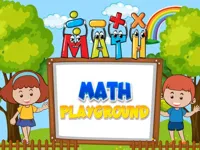
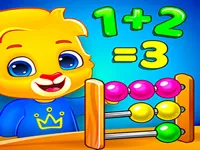
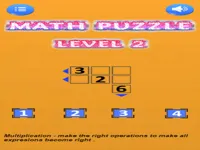
Play Math Playground, a fun educational math puzzle and quiz game you can enjoy instantly in your browser. No Download, Free to Play, and playable on PC, mobile, and tablet.
Genre: educational math puzzle and quiz | No Download | Free to Play
Math Playground is built around quick, brainy challenges that turn basic arithmetic and logic into short, satisfying rounds. Instead of long story scenes or complicated setups, you jump straight into problems that ask you to calculate, compare, spot patterns, or choose the best answer under light pressure. It fits well if you want a learning-friendly game that still feels like play, especially for anyone browsing educational titles on NiaGames.
Most versions of this kind of game reward accuracy first, then speed. That means you can take your time when you are learning, and later try to beat your best pace once you are confident. If you enjoy calm practice with small wins, you might also like other logic and number challenges that focus on steady improvement.
It gives you clear goals and immediate feedback. When you get something wrong, you can usually see what step caused the mistake, then try again with a better plan. That quick loop makes Math Playground feel useful without turning it into a school worksheet.
Players also like that it can match different moods. Some days you want a slow, careful run where you double-check every answer, and other days you want a faster session where you trust your mental math. If you want more bite-sized games that start instantly, the New Games page is a good place to find fresh options that do not require downloads.
Open the game in your browser, pick a mode or start the first challenge, and respond to each prompt by selecting an answer or completing a short task. On PC, you will typically use your mouse to click choices, and on mobile you will tap the screen. If the game includes timed rounds, do a slower “warm-up” run first so you learn the pattern before you chase speed.
For a smoother experience, keep your focus on the next step rather than the full problem at once. In Math Playground, many errors come from rushing a single operation, not from misunderstanding the whole question. Treat each prompt like a two-part job: read carefully, then solve cleanly.
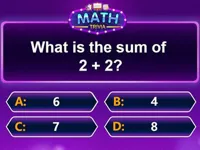
Gameplay usually rotates through short tasks such as quick arithmetic, number comparisons, simple word problems, and pattern recognition. A typical round gives you a prompt, several choices, and a small window to answer, or it may ask you to build an answer by clicking the right tiles. The main objective is to keep your accuracy high while working through a set of questions, building confidence and consistency over time. If you enjoy this kind of browser-friendly practice, you can explore more math games for a similar learning-through-play style.
Difficulty tends to increase in predictable ways: questions become multi-step, choices become closer in value, and the game may reduce time per prompt or mix in trickier wording. That is why pacing matters. Instead of trying to answer instantly, aim to develop a reliable rhythm: read, estimate, calculate, then confirm. When you do that, Math Playground feels less like a test and more like a skill builder you can return to whenever you want a focused break.
If there are different modes, it helps to choose one target skill per session. One day you might focus on quick addition and subtraction, another day on multiplication, and another on logic-style questions that need careful reading. That approach keeps the game from feeling repetitive and makes your improvement easier to notice. For more solo-friendly picks with similar pacing, browsing skills games can lead to other practice-heavy experiences.
Math Playground works well because it makes small improvements feel meaningful. When you replay a mode and notice you are hesitating less, that is real progress you can feel, not just a number on a results screen. It also supports a “learn first, speed later” mindset, which is perfect for anyone who wants a challenge without stress.
It is also easy to fit into daily routines. A few rounds can be a warm-up before homework, a quick break at work, or a calm way to reset your focus. If you want more light, friendly games like this, exploring the school tag can lead to similar learning-adjacent titles.
Start by optimizing accuracy, not speed. In Math Playground, a fast wrong answer costs more than a slightly slower correct one, especially in modes where mistakes reduce your score or break your streak. Once you can complete a set with very few errors, then begin pushing your pace.
Use estimation as a first filter. If the choices are far apart, you can often eliminate two options quickly by rounding numbers in your head. That frees attention for the problems that truly require full calculation, which is a great habit for timed rounds.
Watch out for “single-step slip” mistakes such as dropping a negative sign, misreading a digit, or mixing up order of operations. A helpful routine is to pause for half a second before you click: reread the prompt, then confirm the last step you did. That tiny check often saves streaks.
If a mode includes word problems, read them twice. First time to understand the situation, second time to identify what you are actually being asked to find. Many players lose points by solving the wrong part of the question, not by doing the math incorrectly.
When you get stuck, do not spam guesses. Instead, break the question into smaller pieces, even if it feels slow. Over time, this is exactly how Math Playground builds confidence: you learn patterns, and those patterns speed you up naturally.
Finally, keep sessions focused. Pick one skill area and play until you notice your answers becoming smoother, then stop while it still feels positive. Short, consistent practice is usually better than one long session where fatigue creates careless errors. If you want more quick-play titles between practice rounds, you can check Most Played Games for other popular browser games.
If Math Playground is not working properly, try this:
If you like short rounds that reward thinking, pattern spotting, and steady improvement, these games share a similar puzzle-first pace.
Yes. Math Playground runs in your browser, so you can play for free on a computer without installing anything.
Math Playground is an educational puzzle-style game that focuses on quick math and logic challenges, helping you practice accuracy, speed, and problem-solving in short rounds.
Open the game page, press start, and choose an activity if there is a mode menu. Begin with slower, careful answers so you learn the question style, then increase speed once you feel comfortable.
Yes, Math Playground is free to play online.
Go for clean accuracy first and keep one skill focus per session. In Math Playground, small habits like estimating before calculating and rereading word prompts prevent most early mistakes.
You can play Math Playground on NiaGames in your browser. If you want more thinking-focused options afterwards, you can also browse Best Games for other reliable picks.
No. Math Playground is playable instantly in your browser with no download required.
Yes. Math Playground works on mobile and tablet in most browsers, and the controls usually translate cleanly to tapping and dragging.