Play Preschool Math, a fun educational puzzle game you can enjoy instantly in your browser. No Download, Free to Play, and playable on PC, mobile, and tablet.
Genre: educational puzzle | No Download | Free to Play
This is a kid-friendly math activity built around short, simple challenges that help with early number sense. Sessions are quick, the rules are easy to understand, and the goal is usually the same: look at what’s on screen, think for a moment, then pick the answer that matches.
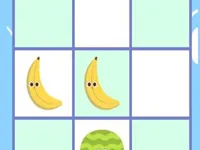
Expect tasks like counting small groups of objects, matching numerals to quantities, spotting which number is bigger or smaller, and choosing the correct result for very basic addition or subtraction. If you enjoy calm learning games, you can also explore lighter picks like Coloring Books or simple recognition games such as Animal Sounds.
It keeps pressure low while still giving a clear “right or wrong” result, which makes practice feel rewarding. Most questions take only a few seconds, so it’s easy to do a handful of rounds, take a break, and come back later without losing your place.
Another reason it works well is the focus on repetition with variety. Even if the topic stays the same, the screen can change the objects, layout, or answer order, so kids have to pay attention instead of tapping the same spot every time. If you want more learning-style practice after this, Kids Good Habits is another gentle option that fits a similar pace.
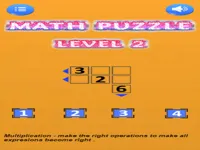
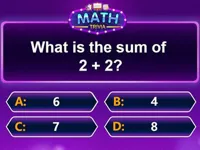
Start a round and look at the prompt at the top of the screen. The game usually shows a small set of items, a number, or a very short equation, then gives a few choices to pick from. Your job is to select the option that matches the prompt as quickly and accurately as you can.
If the challenge is counting, point at each item once as you count to avoid skipping or double-counting. If the challenge is comparing numbers, look for the larger value first, then confirm by counting objects if you’re unsure. For early sums, try using “counting on” (say the first number, then count up the second number) rather than recounting everything from one.
Rounds are built around one clear question at a time, which keeps the flow smooth for younger players. You’ll typically tap or click an answer from a small set of options, then move on right away. This makes the game feel more like a steady practice loop than a long lesson, and it helps kids stay focused without needing to read much.
Difficulty usually rises by adding slightly larger numbers, adding more items to count, or making the wrong answers look more tempting (for example, numbers that are close together). The best approach is to slow down just enough to verify before choosing, especially when choices are similar. If you want another short-round logic style game later, try something like 15 Puzzle for a different kind of careful thinking.
What stands out is how it keeps attention on one decision at a time. Instead of asking players to remember long instructions, each screen is a small puzzle with a single goal. That design is great for early learners who do better with clear choices and instant feedback.
It also encourages good habits without calling them out directly. Careful counting, checking work, and learning to pause before answering are skills that carry over into other activities. If you like games that reward calm thinking, browsing puzzle picks can lead you to other low-stress options with a similar mindset.
Use a “tap and count” rhythm: When counting objects, tap each one once as you say the number out loud. This reduces skipping and makes counting feel like a simple routine.
Watch for tricky neighbors: When the options include numbers like 6, 7, and 8, it’s easy to rush. Take one extra second to confirm the quantity before choosing, especially if the objects are close together.
Try counting on for addition: If the prompt is 3 + 2, say “three,” then count two more: “four, five.” This is faster than recounting from one and helps kids build confidence.
Don’t guess on comparisons: For “which is bigger,” check the first digit and then confirm by counting objects if the sizes feel close. Slowing down a little is better than building a habit of random tapping.
If you’re looking for more kid-friendly, low-pressure play, explore family titles, or browse casual games for short sessions that don’t require long tutorials.
For kids who enjoy question-and-answer style rounds, the quiz tag can be a good path to more practice-based games with simple choices.
If Preschool Math is not working properly, try this:
These picks match the same short-round learning pace, focusing on quick answers, simple logic, and early number practice.
Yes. You can play it directly in a browser, so it’s easy to start a quick practice session on a laptop or desktop without installing anything.
It’s an early-learning math game made up of short questions where you identify numbers, count objects, compare values, or pick simple results. The focus is on quick, clear choices that help build confidence through repetition.
Open the game page, press start, and follow the prompt on the screen. Begin by aiming for accuracy first, then add speed once the question patterns feel familiar.
Yes, Preschool Math is free to play online.
Count out loud, tap each object once while counting, and pause for a second before choosing when answers are close. If a child gets frustrated, switch to “accuracy rounds” for a few minutes where the only goal is to get the correct answer, not to be fast.
You can play it on NiaGames in your browser, and it also fits nicely alongside other learning-friendly picks found under school and skills tags.
No. It runs in the browser, so you can start playing right away without downloads or extra installers.
Yes. Touch controls work well for tap-to-answer gameplay, and shorter rounds make it easy to play a few questions at a time on a phone or tablet.