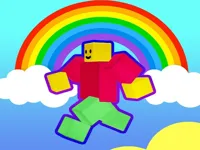
Play Rainbow Obby, a fun Adventure game you can enjoy instantly in your browser. No Download, Free to Play, and playable on PC, mobile, and tablet.
Genre: Adventure | No Download | Free to Play
Rainbow Obby is built around classic obstacle-course movement: run, jump, land cleanly, and keep your momentum through tricky layouts. The name hints at a bright, colorful theme, and many stages lean on quick visual cues where you can spot safe platforms fast. If you like games tagged color but still want a real challenge, this is the kind of level design that keeps you alert.
The goal is simple but not easy: make steady progress without letting small mistakes snowball. A missed landing can cost time, and a rushed jump can send you back to a safer section, so the best runs come from controlled movement. Since it plays like a true obstacle course, you will spend most of your attention on spacing, timing windows, and how your character’s speed changes after turns.
Even when the rules are easy to understand, the game encourages you to learn each section like a mini puzzle. You test where you can sprint, where you should slow down, and how to line up tricky corners before you jump. That steady learning curve makes it feel closer to a light adventure than a one-off reaction test.
It rewards improvement you can actually feel. After a few attempts, you start recognizing the “safe” approach angles, and your fingers stop panicking at the same hard jumps. That’s why players who enjoy skills-based games often stick with it longer than they expect.
It also fits short play sessions. You can attempt a few stages, take a break, then come back and immediately remember what to do next. That quick loop makes it a strong pick for 1-player sessions where you just want to focus and improve without long setup.
Most importantly, it creates satisfying tension without needing complicated systems. You are always balancing speed versus safety, and each mistake teaches you something practical. If you like tight, retry-friendly arcade pacing, the rhythm of attempt, learn, and clean-up is the main appeal.
Start with a simple plan: move smoothly, keep your camera lined up, and only sprint when you can clearly see the landing. When a section feels unreliable, slow down and focus on one clean jump at a time. This approach works best in games where precision matters more than constant speed, especially when platforms are narrow or spaced to punish rushed movement.
On touch devices, use steady thumb movements rather than quick swipes. Many browser obstacle games support mobile play, but accurate jumps can be harder on a small screen, so give yourself extra room before each leap. If your device supports smoother 3D rendering through WebGL, keeping other tabs closed can help reduce stutters during tight sections.
The core gameplay loop is about reading a section, choosing your pace, and landing consistently. Most stages push you to control your speed before a jump, because carrying too much momentum makes it easier to overshoot or clip an edge. As you move forward, you will likely see more timing-based obstacles, tighter ledges, and jumps that require better alignment.
Difficulty usually rises through smaller margins for error rather than sudden surprises. Early parts may let you recover from a sloppy landing, while later stretches expect you to chain clean jumps without hesitation. When platforms are spaced wider, your takeoff angle becomes just as important as your timing, and that is where players start to develop a personal “safe line” through each area.
Jump consistency is the skill that matters most. If you jump too early, you lose distance and fall short. If you jump too late, you may slide off an edge or bump into a corner. Treat each segment like a short routine: approach, line up, jump, then immediately prepare for the next landing.
Many obstacle courses also include moments where patience is the best tool. When something moves or rotates, rushing usually creates the worst results. Waiting for the clean opening, then committing with confidence, often saves more time than forcing a risky jump and repeating the same section again.
It stays focused on the fundamentals that make obstacle games satisfying: clean movement, clear consequences, and improvement through repetition. Instead of relying on lots of extra mechanics, it asks you to master spacing and rhythm. When you clear a hard section, it feels earned because you know it came from better control rather than luck.
It is also the type of game where small technique changes make a big difference. Learning when to stop sprinting, how to correct your line mid-run, and when to pause for a safe timing window can turn a frustrating section into something consistent. That mix of simple rules and real mastery is what keeps it replayable.
If you want steadier progress, treat each obstacle like a decision, not a reflex. The best runs are usually the ones where you stay calm and keep your movement predictable.
If Rainbow Obby is not working properly, try this:
If you enjoy climbing, precise jumps, and retrying short sections until they feel consistent, these games match that same practice-and-progress flow.
Yes. It runs in a browser, so you can play on a computer without installing anything. For smoother movement, keep your browser updated and close heavy tabs before starting.
It is an obstacle-course game where you move through tricky platforms by controlling speed, alignment, and jump timing. Progress comes from learning each section and landing consistently rather than rushing.
Start the game and move slowly through the first sections to learn how your jumps feel. Once you can clear a part reliably, add speed only where the landing is obvious and safe.
Yes, Rainbow Obby is free to play online.
Use the safe version of every jump first. Line up your character, make sure you can see the landing, and avoid sprinting until you know the section well. Consistency beats risky shortcuts early on.
You can play it directly on this game page in your browser.
No. It is a browser game, so you can start playing without downloads or extra setup.
Yes. It supports mobile and tablet play, using touch controls like an on-screen joystick or buttons when available. If precise jumps feel tough on a small screen, slow your pace and give yourself extra space.