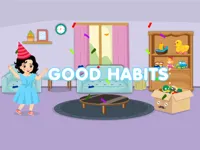
Play Good Habits, a fun Educational game you can enjoy instantly in your browser. No Download, Free to Play, and playable on PC, mobile, and tablet.
Genre: Educational | No Download | Free to Play
Good Habits is a simple learning game built around everyday routines and smart choices. It focuses on doing the right steps in the right order, so it feels less like memorizing and more like practicing small actions that make sense.
The goal is usually to complete a short activity cleanly, then move on to the next one without dragging out the session. If you like gentle learning games, you can also browse more educational titles, especially ones made for kids who enjoy quick interactive tasks.
Because the theme is daily routine, it often leans toward basic hygiene and tidying concepts. That makes it a nice fit if you want something light that overlaps with cleaning and grooming style mini activities.
It is easy to start and easy to understand, so it works for short breaks. Many players enjoy that the feedback is direct: you try an action, you see what happens, and you can adjust right away.
The pace is calm, which helps it feel friendly instead of stressful. That puts it in the same comfort zone as many casual games you can share with a family member.
Another reason it clicks is the low friction. You can play alone, make progress in small steps, and replay without pressure, which is why it also suits a quick 1 Player session.
Start the game and follow the on-screen prompts for the current task. Most activities are built around tapping, dragging, or selecting the correct item, so it typically feels like a point and click routine where you complete steps one by one.
Take a moment to look at the whole scene before acting. When you understand what the task is asking, you can move faster while making fewer mistakes, which is especially helpful in small puzzle style sequences where order matters.
The core loop is about recognizing a situation, choosing an action, and finishing a short checklist of steps. Some stages may feel like sorting or matching, while others feel more like helping a character complete a routine, which keeps the experience varied without getting complicated.
As you continue, the challenge usually comes from adding more steps, making the correct choice less obvious, or asking you to do things in a clean sequence. Treat each stage like a small practice run: scan first, act second, then double-check that you did not skip something important.
Because the theme is everyday life, the game can feel like a light simulation of doing tasks carefully. When you play consistently, you get better at spotting patterns like what should be done first, what can wait, and what mistakes are likely to cause a reset.
If you ever feel stuck, try reversing your approach. Instead of clicking everything quickly, slow down and identify the single action that moves the task forward, then commit to it and keep the steps neat.
What stands out is how it turns routine actions into small wins. Finishing a task cleanly feels satisfying because you can see the result immediately, and it makes replaying more about improving your process than chasing a high score.
It also works well for practice because mistakes are usually easy to understand. When something does not work, the best move is often to take one step back, check the prompt, and try the most logical next action instead of guessing.
Play slowly for the first few activities, even if they look obvious. Once you understand the pattern of what the game expects, you can speed up while keeping your choices accurate.
If a stage feels confusing, pretend you are explaining it out loud to someone else. That quick mental checklist often reveals the missing step you overlooked.
If Good Habits is not working properly, try this:
These games share a similar idea of learning through small tasks, short scenes, and simple interactions you can complete quickly.
Yes. You can play it in your browser for free on a computer, and it is designed to be simple to start and easy to control.
It is an educational routine game where you complete small everyday tasks by choosing the right actions and finishing steps in the correct order.
Open the game, read the prompt for the current activity, then click or tap the items that match the task. If something does not work, slow down and try the most logical next step.
Yes, Good Habits is free to play online.
Do not rush the first step. Scan the scene, follow the prompt, and make one careful action at a time until you learn the pattern of what each activity expects.
You can play Good Habits online on NiaGames using your browser on desktop or mobile.
No. It runs in your browser, so you can start playing without installing anything.
Yes. Touch controls work well for tapping and dragging, so you can play on phones and tablets.