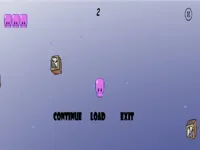
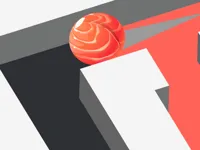
Play Garbage online for free, and see how fast you can clean up a messy playfield without losing control. The goal is simple to understand, but it gets tricky when more trash shows up and you have to choose what to grab first. With easy controls and quick rounds, you can enjoy it on desktop or on touch devices.
As you keep going, you will start noticing patterns, timing windows, and safer routes that help you stay calm when things get crowded. Whether you're playing on a phone, tablet, or computer, Garbage is packed with quick decisions, clean-up moments, and that satisfying feeling when you finish a tricky section without a mistake.
Ready to tidy up the chaos and beat your best score?
Garbage is a fast, replayable clean-up game where you focus on collecting trash efficiently while avoiding risky moves that can end your run. Think of it like a simple challenge: keep the area under control, grab what you can safely grab, and do not rush into trouble when the screen starts filling up.
The fun part is learning what “safe” really means. In Garbage, the best players usually do not move nonstop, they move with a plan. You spot the next target, you line up your path, and you keep an eye on what might block you or slow you down.
If you enjoy short, skill-based games that reward practice, you will probably also like browsing Arcade Games or quick pick-up sessions in Hypercasual Games.
Start the game, look around the play area, and decide what you will collect first. Early on, it helps to stay near open space so you always have a way out if something gets tight. As the challenge increases, try to keep your movement smooth and avoid sudden direction changes unless you are sure the path is clear.
A good habit in Garbage is to collect in small “loops” instead of darting back and forth across the whole screen. That way, you do not accidentally trap yourself, and you can keep track of what you have already cleared. If the game feels intense, slow down your moves and focus on clean steps, not speed.
You can play this game directly in your web browser, whether you're using a desktop, laptop, tablet, or mobile device.
The biggest difference between an okay run and a great run in Garbage is how you handle messy moments. When the screen starts to feel crowded, do not chase the closest piece of trash just because it is nearby. Pick the option that keeps your route open, even if it takes one extra second.
1) Clear a safe lane first. Early in each round, try to make a clear path you can return to. If you are collecting items, sweep one side or one corner and keep that space as your “reset” zone.
2) Collect in clusters, not singles. If there are several pieces close together, grab them as one mini-goal. Jumping between far targets often creates messy routes and increases mistakes.
3) Watch for the moment the difficulty steps up. Many arcade-style games quietly speed up or add pressure after you do well for a bit. In Garbage, treat that moment like a warning bell: tighten your movement, keep to the edges of open space, and avoid risky cuts through clutter.
4) Do not panic when you miss one item. If you mess up a line or skip a target, it is usually better to re-center and recover than to spin around instantly. Small recoveries keep you alive longer than desperate grabs.
5) Use tiny moves instead of big swings. When you are close to hazards or tight spaces, tap movement in short steps. It helps you stay precise, especially when your eyes are juggling multiple things at once.
Common mistakes to avoid: rushing into a corner with no exit, switching targets too often, and trying to “save” a bad situation with one fast move. If you feel yourself doing that, pause for a second and return to the open area you cleared earlier.
For players who enjoy the clean-up and collection vibe, it can be fun to explore tags like Cleaning and Collecting, especially when you want more quick challenges that reward careful play.
If you like Garbage for its quick decisions, simple controls, and “clean up the mess” pacing, these picks focus on the same short-round, learn-and-retry style.
Yes. Garbage runs in your browser, so you can play on a computer without installing anything.
Press the start button, then begin moving and collecting at a steady pace. In Garbage, the safest way to begin is to clear one small area first so you have room to recover if things get messy.
Yes, Garbage is free to play online.
Start slow, keep your movement clean, and collect nearby items in small groups. Once you feel comfortable, push for a better score by taking faster routes, but only when you still have an escape path.
You can play Garbage right here on NiaGames. If you want more games with a similar easy-to-learn style, try browsing Casual picks or solo challenges under 1 Player.
No downloads are needed. Garbage works directly in your web browser, so you can jump in and play right away.
Yes. Garbage can be played on phones and tablets using touch controls, and it is a good fit for short sessions. If you enjoy dodging tight situations on touch screens, you might also like games tagged with Obstacle challenges.