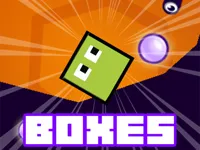
Play Boxes, a fun Puzzle game you can enjoy instantly in your browser. No Download, Free to Play, and playable on PC, mobile, and tablet.
Genre: Puzzle | No Download | Free to Play
Boxes is a browser puzzle built around simple pieces and clear goals. Each round is about organizing blocks in a way that makes the next move easier, not harder.
If you enjoy puzzle games that reward planning, this one keeps the focus on clean decisions and steady progress. It also leans on logic, so a calm, methodical approach usually beats rushing.
It is easy to understand in the first minute, which makes it a good casual pick when you want a quick break. You can restart fast, learn from a mistake, and try a cleaner plan right away.
Because the pace is player-controlled, it fits a focused 1 Player session as well as short bursts between other tasks. The best moments come from spotting a tidy sequence of moves and watching the board open up.
Start the game and look over the board before making your first move. The safest early strategy is to create space and keep your options open, especially if you see pieces that could block each other later.
As you play, try to think two or three steps ahead instead of reacting to the most obvious move. When you are unsure, choose the move that keeps the most pathways available, since tight boards are where most failed runs begin.
The core loop is about moving and arranging box-shaped pieces to meet the current objective, whether that means clearing space, placing items into the right spots, or building an ordered layout. Most of the challenge comes from how one small move can change the shape of the remaining board.
Difficulty usually ramps up by giving you less breathing room and by forcing you to work around awkward gaps. Some stages may demand more careful sequencing, where setting up a good lane or clearing a corner first makes the rest of the round feel simple.
Visually, this kind of game often benefits from a straightforward 2D look that makes it easy to read what is happening at a glance. Even if the theme changes, the satisfying part stays the same: tidy movement, clean placement, and the little moments where a good stack or alignment solves multiple problems at once.
The fun is in how small choices build on each other. A single move that creates space near a crowded area can turn a messy board into a clean route, and that feeling of control keeps you coming back.
It also rewards simple habits: checking corners, avoiding early traps, and keeping a “parking spot” for awkward pieces. Once you start treating space like a resource, your results improve quickly.
Play slower at the start of each round. The first few moves decide whether you will have room to fix problems later.
A common mistake is overcommitting to one lane and running out of space to correct it. When that happens, shift your goal to restoring breathing room first, then return to the objective with a cleaner board.
If Boxes is not working properly, try this:
These picks focus on quick, restart-friendly puzzles where planning and clean placement matter more than fast reactions.
Yes. You can play it in your browser on a computer without installing anything, so it is easy to jump in for a quick round.
It is a puzzle game where you focus on arranging box-like pieces in a smart order. The challenge comes from managing space and choosing moves that keep future options open.
Press play, then take a moment to read the board before you move. Start with a move that creates space, and only commit to tight areas once you are sure the layout can handle it.
Yes, Boxes is free to play online.
You can launch it directly in your browser on NiaGames and keep playing without downloads.
Keep one corner clear as a safety zone, and avoid trapping pieces behind narrow gaps. If you fail a round, change your first two moves before trying the same plan again.
You can play it on NiaGames in your browser. It works on desktop and mobile, so you can switch devices without changing how you access the game.
No downloads are required. Just open the page, start playing, and use the troubleshooting steps above if your browser needs a refresh.
Yes. The game is designed for browser play on phones and tablets, using taps and drags for the main actions.