Play Zoo Tycoon, a fun Simulation game you can enjoy instantly in your browser. No Download, Free to Play, and playable on PC, mobile, and tablet.
Genre: Simulation | No Download | Free to Play
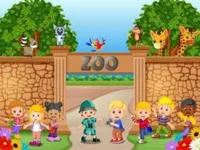
Zoo Tycoon is about building a zoo that works for both animals and visitors. You place the basics, expand step by step, and keep an eye on problems before they spiral, like low income, unhappy guests, or animals that are not comfortable in their space.
The appeal comes from the way everything connects. A change that looks small, like moving a facility or widening a path, can improve traffic flow, profits, and satisfaction. If you enjoy simulation games with lots of small decisions, this one fits that mood well.
It also leans into planning rather than fast reactions. Most of your progress comes from reading the layout, choosing what to build next, and making sure your zoo can afford it. That makes it a nice match for management fans who like calm, steady growth.
Players like the feeling of turning an empty map into a living place. You start with a simple setup, then expand as your income improves, and each upgrade makes the zoo feel more complete. The theme is friendly too, especially if you are into animal focused games.
Another big reason is the “one more upgrade” loop. When something goes wrong, the fix is usually clear and practical, like adjusting your layout, adding a missing service, or slowing down expansion until your budget stabilizes. The pacing stays approachable, but the choices still feel meaningful.
Begin with a small, reliable core. Place a few essentials, connect them with paths, and watch how guests move through the space. Once your zoo is earning steadily, add the next piece that supports growth, like a new attraction, a needed service, or a smarter layout.
As you build, keep checking three things: money, visitor flow, and animal comfort. If your zoo feels crowded or messy, it often helps to simplify the design and rebuild in cleaner sections. A tidy building plan usually beats rushing to place everything at once.
The main loop is building areas for animals, creating paths for guests, and managing the costs of running the place. You decide where to place attractions and support buildings, then balance spending against the money you bring in. Most wins come from planning, like grouping similar areas together and keeping high-traffic zones easy to reach.
Objectives often feel like steady milestones: grow your zoo, keep visitors satisfied, and avoid costly mistakes that drain your budget. If your layout becomes hard to manage, you can take a step back and treat it like a layout puzzle, improving spacing and keeping routes clear across the whole city-style map.
Difficulty tends to increase as your zoo gets bigger. More buildings mean more upkeep, and more guests mean more pressure on paths and services. The challenge is not speed, it is staying organized while you expand, which is why Zoo Tycoon also appeals to players who enjoy strategy games built around smart planning.
What stands out is how relaxed the play can be while still feeling busy in a good way. You are always making small improvements, but you can do it at your own pace, testing ideas and fixing problems without needing perfect timing.
It also rewards careful habits. A well-planned zoo that stays simple and readable often performs better than a sprawling build with shortcuts everywhere. When you get the balance right, the zoo feels stable and the progress feels earned, not random.
The easiest way to improve is to treat your zoo like a system. Build one strong area, confirm it works, then copy that approach as you expand. If you keep rebuilding the same zones, it usually means you expanded too quickly or placed key buildings too far apart.
Common mistakes are overbuilding early, ignoring how guests move, and spreading the zoo too thin. A good recovery move is shrinking the plan back to a strong core, then adding new sections in clear blocks. If you want more fresh picks after a session, browsing New Games can be a good way to find another quick management challenge.
If Zoo Tycoon is not working properly, try this:
These picks share the same planning-first pace, where you build something up, manage resources, and improve your layout over time.
Yes. You can play it for free in your browser on a computer, with no download required. A mouse usually makes placing and adjusting your layout easier.
It is a zoo building and management game where you grow a park over time while balancing costs and comfort. The goal is to keep things running smoothly as your zoo becomes larger and more complex.
Start small, place a few key buildings, and connect them with paths. Once you see steady progress, expand in small steps and watch how each change affects your budget and visitor flow.
Yes, Zoo Tycoon is free to play online.
Focus on a compact layout first, then expand only when you can afford upkeep. If the zoo becomes messy, rebuild one area into a simpler shape and reconnect it cleanly.
You can play it on NiaGames directly in your browser. It works well for quick sessions because you can make progress in small upgrades and stop anytime.
No. The game runs in your web browser, so you can start playing right away. If it loads slowly, refreshing the page and closing extra tabs often helps.
Yes. Touch controls make it easy to tap through menus and place items on a phone or tablet. For detailed layout work, you may prefer a larger screen.