Play Building Mods For Minecraft, a fun block-building simulation game you can enjoy instantly in your browser. No Download, Free to Play, and playable on PC, mobile, and tablet.
Genre: Block-building simulation | No Download | Free to Play
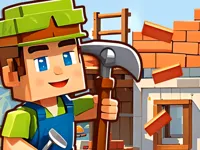
Building Mods For Minecraft is a browser-friendly builder that leans into the familiar Minecraft style: blocks, grids, and creative layouts. The “mods” part is best understood as themed building sets and tools that help you experiment with new looks, shapes, and combinations without needing to install anything.
If you enjoy Minecraft-inspired creativity, you will feel at home with the chunky block visuals and easy placement flow. It sits nicely alongside other Minecraft and mineblock style games on NiaGames, especially if you want quick sessions that focus on making something satisfying.
Because this is a browser game, it is designed around fast starts and simple controls. You can spend a few minutes testing a wall pattern, then come back later to improve it, or treat each attempt like a small project with its own goal, like a compact house or a cleaner layout.
Players like Building Mods For Minecraft because it rewards planning without turning into homework. You can place blocks, adjust your idea, and quickly see whether your structure looks stable and balanced. That instant feedback makes it easier to learn good habits, like building a solid base before adding details.
It is also a nice change of pace from pure action games. If you enjoy slower, thoughtful play that still feels interactive, the builder rhythm fits. The game also appeals to anyone who enjoys building and creation challenges where the main enemy is messy design, not a timer.
Another reason it clicks is replay value. Even if the objective is simple, you can always improve the same idea with better spacing, cleaner edges, or a smarter material mix. The satisfaction comes from turning a rough draft into something that looks intentional.
Start the game, pick a build area or a theme, and begin placing blocks. Most of the time you will be selecting pieces, positioning them on a grid, and rotating or switching tools until your layout looks right. It is a calm loop: choose a piece, place it, check the shape, then refine.
If you have played other crafting or sandbox builders, the mindset is similar. You are trying to keep your structure readable, with clear entrances, flat floors, and corners that do not snag your layout. For more Minecraft-themed ideas, you can also check Minecraft New Game for another quick browser option.
In Building Mods For Minecraft, the core mechanic is placing and arranging blocks to form a build that looks good and works as intended. Depending on the setup, you might be assembling a small house, stacking layers, shaping a roof, or adding decorative touches. Your “score” is usually your finished result, so the real win is a clean design that matches your plan.
A good approach is to build in passes. First, outline the footprint and decide how big the build should be. Next, raise the walls and create openings for doors or windows. After that, add details like trim, patterns, and extra depth so the structure does not look flat.
Difficulty tends to show up when you try more complex shapes. Diagonals, arches, and uneven roofs are harder because one misplaced block makes the whole thing look off. When that happens, undo a few steps and correct the line instead of patching over mistakes. Clean lines usually look better than a rushed fix.
Because the game is themed around “mods,” you may notice extra block sets or special pieces that change how your build feels. Treat those like tools, not shortcuts. Use them to create contrast, highlight edges, or make a simple shape feel more detailed. If you want a different kind of creative builder that focuses on visuals, 3D Painter is another solid pick.
Some players prefer structured goals, while others prefer free building. Either way, it helps to set a tiny target before you start. For example, decide you will create a doorway, a roofline, and one design pattern. That keeps your build focused and makes it easier to finish something you are proud of.
Building Mods For Minecraft is at its best when you treat it like a small design sandbox. You are not just placing blocks randomly, you are solving little layout problems: how to make a roof look smooth, how to keep a room bright, and how to add detail without clutter.
The game also works well as a creativity warm-up. If you enjoy Minecraft-style building but do not want a long setup, this is a quick way to practice shapes and patterns. For a different take on building in short sessions, Building Construction can scratch a similar itch with a more task-focused feel.
These practical habits can help you build cleaner and finish projects faster in Building Mods For Minecraft:
If you like building and strategy mixed together, you might also enjoy Stacklands, which turns placement and space planning into a more structured challenge. For a broader list of thoughtful games, browse the Strategy Games category.
If Building Mods For Minecraft is not working properly, try this:
These games match the same creative, build-and-improve loop, focusing on making something better with each attempt.
Yes. Building Mods For Minecraft is free to play in your browser on a computer. For the smoothest building, use a modern browser and close extra tabs so the game stays responsive.
Building Mods For Minecraft is a Minecraft-inspired building game where you place blocks and experiment with mod-themed pieces to create structures. The main focus is designing clean shapes, refining layouts, and finishing builds that look organized.
Load the game and begin with a small project, like a simple room or compact house. Build the base first, then walls, then the roof. After that, add details with a limited set of blocks so the design stays clear.
Yes, Building Mods For Minecraft is free to play online.
Start small and build in layers. Use a clear footprint, keep corners straight, and avoid mixing too many block types at once. If you enjoy browsing related themes, explore builder and creation tags for more games with the same creative mindset.
You can play Building Mods For Minecraft right here on NiaGames in your browser. For more Minecraft-style picks, the Minecraft tag is a helpful place to find similar titles.
No. Building Mods For Minecraft runs in your browser, so there is nothing to install. If you ever see slow loading, refreshing the page and clearing cache usually fixes it.
Yes, Building Mods For Minecraft works on mobile and tablet in most modern browsers. Touch controls can feel more precise if you zoom the page to a comfortable size and use steady taps instead of quick double taps.