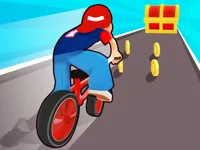
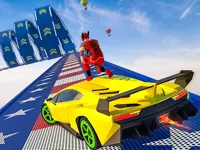
Play Driver Run 3D, a fun 3D car runner game you can enjoy instantly in your browser. No Download, Free to Play, and playable on PC, mobile, and tablet.
Genre: 3D car runner | No Download | Free to Play
If you like quick reflex games where every second matters, this one focuses on clean steering, fast lane decisions, and staying calm when the road gets crowded.
This game is built around short runs where you react to what appears ahead, choose the safest line, and keep moving without losing speed. The goal is simple: survive longer, drive cleaner, and push your best distance.
Because it plays in a browser, it is easy to jump in for a quick attempt and then try again right away. Each run teaches you something small, like when to change lanes early or how to handle tighter gaps.
If you enjoy browser driving with a modern look, you can also browse the wider collections in Racing Games and 3D Games for more quick sessions.
It is easy to understand, but it rewards planning. The best runs usually come from reading the road a few seconds ahead, not from last-moment swerves.
The pace makes it feel satisfying even when you fail. You can learn from a mistake, restart, and immediately test a better approach without a long setup.
It also fits the familiar vibe of cars in a clean 3D style, with the kind of restart-and-improve loop people expect from endless runs.
Start the game, keep your vehicle centered, and react early to anything that blocks your path. When you see multiple hazards close together, pick a safe lane first, then commit to it instead of weaving back and forth.
The core loop is driving forward while avoiding hazards that appear in your lane. Most of the challenge comes from timing: you need to shift lanes early enough to be safe, but not so early that you steer into the next problem.
As you survive longer, runs usually feel faster and more crowded. You may see tighter spacing between obstacles, less time to react, and situations where two lanes look safe for a moment and then close at the same time.
To improve, treat the road like a pattern. Scan for the next clear lane, move once, and then stabilize your position. If the game includes pickups or score items, grabbing them is safest when it does not pull you into a bad line.
Many driving games focus on speed alone, but this style is more about staying composed when the road layout gets tricky. The most satisfying moments happen when you spot a safe route early and glide through without panic steering.
It also mixes the feel of a runner with car control, so the challenge is more about rhythm and positioning than complicated controls. That makes it approachable on touchscreens while still rewarding careful play.
Use these habits to get more consistent runs and avoid the mistakes that end most attempts. Focus on smooth movement and planning, not constant steering.
If you are playing on a phone, keep your thumb movements short and controlled. Big swipes can lead to accidental double moves when you only meant to shift once.
If Driver Run 3D is not working properly, try this:
If you like quick driving decisions, obstacle timing, and short retry-friendly runs, these games focus on a similar pace and control style.
Yes. Open the game page on NiaGames and it runs directly in your browser with no install needed.
It is a 3D driving runner where you steer through obstacles, make fast lane choices, and try to last as long as possible.
Press the start button, then use simple steering controls to keep your vehicle on a safe path. The first moments are usually slower, so use them to get comfortable with timing.
Yes, Driver Run 3D is free to play online.
You can replay as many runs as you want, which is perfect for improving your best distance over time.
Keep your movements small and plan one obstacle group ahead. Most early crashes happen from steering too much and changing lanes repeatedly.
You can play it on NiaGames in your browser on PC, mobile, or tablet.
No. It is an HTML5 browser game, so it loads and plays online without downloads.
Yes. Touch controls like swiping or dragging work well, and the game is designed to play in a mobile browser.