Play Word Connect Game, a fun word puzzle you can enjoy instantly in your browser. No Download, Free to Play, and playable on PC, mobile, and tablet.
Genre: Word Puzzle | No Download | Free to Play
This is a classic letter-connecting puzzle where you build words from a small set of characters. The core idea is simple: spot patterns, connect letters in the right order, and fill the target word list for each round. If you like calm games that still make you think, it fits right in with other Puzzle Games on NiaGames.
Most rounds reward careful scanning over fast tapping. You will usually start by finding short, obvious words, then use those to “see” longer options hidden in the same letter pool. If you enjoy word-focused challenges, browsing the Word tag can help you discover more titles with a similar feel.
It is easy to learn, but it stays interesting because every grid nudges you to look at letters differently. One round might be all about common endings like “-ing” or “-er”, while another is about spotting prefixes and doubling letters. The best moments come when a leftover letter suddenly clicks into place and the whole board opens up.
It also works well for short sessions. You can play a couple of puzzles, take a break, then return without needing to remember complex rules. That pick-up-and-play rhythm is why it often appeals to Casual players and anyone who enjoys low-pressure brain workouts.
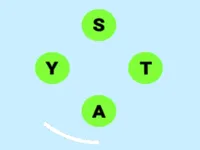
The goal is to form valid words by connecting letters from the board. Drag across letters in a continuous line to create a word, then release to submit it. If the word is part of the puzzle’s solution list, it will fill into the blanks. Extra words may still be accepted as bonuses depending on the version, but the main progress comes from completing the required list.
Each puzzle gives you a small set of letters and a set of empty word slots. Start by scanning for quick 2 to 4 letter words to warm up, then use those discoveries to build longer ones. A good method is to anchor around common vowel placements, then test letter pairs that often appear together. In many rounds, simply rearranging the letters in your head is the difference between feeling stuck and clearing the board.
Difficulty usually ramps in predictable ways: longer target words, more similar-looking letter combinations, and fewer “free” giveaways. You might also notice that puzzles become trickier when multiple answers share the same start or end, because it is easy to lock onto one pattern and miss the others. Treat each failed attempt as information: if a path keeps producing nonsense, back up and try a different starting letter, especially when two consonants can swap places.
When you hit a wall, do not brute force every possible path. Instead, split the letters into likely clusters, then check for word shapes you already filled. A filled slot often reveals a missing letter position that points to a specific ending. This style of reasoning is similar to other logic-focused puzzles, so fans of the Logic tag often feel at home here.
Unlike many word games that rely on timers, this style emphasizes recognition and planning. You can slow down, test an idea, and adjust without feeling rushed. That makes it more about building a repeatable process: find short words, map out likely endings, then extend into longer answers.
It also has a satisfying “chain reaction” feel. Once one longer word is solved, the remaining blanks often become easier because you stop guessing in the dark. If you like the learning curve of spotting patterns in letters, you will likely enjoy exploring the Letters tag and the broader Puzzle collection too.
Start small, then stretch. Clear the shortest words first, but do not stop there. Use those letter relationships to build longer words by adding one letter at a time. This prevents you from wasting energy on random attempts.
Hunt for endings and prefixes. Common endings like “-ed”, “-er”, “-ly”, and “-ing” often appear, and prefixes like “re-” or “un-” can be a quick win. If you see repeated letters, try building around them early because they create more combinations than you expect.
Do a vowel check. If you are stuck, locate vowels and try pairing them with neighboring consonants. Many valid words become visible once you find a strong vowel-consonant pair and test a few follow-ups.
Avoid tunnel vision. In Word Connect Game, it is easy to keep forcing one almost-right idea. When that happens, reset your approach: start from a different letter, reverse the direction of your drag, or try building a word that ends with the letter you have been ignoring.
Keep your sessions fresh. If you are trying to build consistency, alternate between this and another lightweight thinking game. Something like Brain Test Tricky Puzzles can sharpen flexible thinking in a different way, which often helps when you return to letter patterns.
If Word Connect Game is not working properly, try this:
If you like connecting letters and solving word lists at a steady pace, these games lean into the same pattern-spotting and quick-round puzzle flow.
Yes. You can run it directly in your browser with no install, making it a convenient option for quick puzzle sessions. If you want more quick picks, the Best Games page is a handy place to browse.
It is a letter-connecting word puzzle where you drag across letters to form valid words and fill a target list. The challenge comes from spotting patterns efficiently and switching strategies when similar-looking combinations distract you.
Load the game page and begin with the first puzzle. Form words by dragging across letters, then release to submit. If you want a smoother experience on phones, make sure you are using a modern browser and keep other apps closed in the background.
Yes, Word Connect Game is free to play online.
Start with short words, then build longer ones by extending what you already found. Focus on common endings, and if you feel stuck, change your starting letter and try again. Many players also like pairing this with other Brain style games to improve pattern recognition.
You can play it on NiaGames in your browser. If you are looking for more fresh puzzles, check the New Games section, or browse the 1 Player tag for similar solo-friendly picks.
No. The game runs in the browser, so you can start playing immediately without installing files. For more browser-based options, the Html5 Games tag highlights titles designed for quick loading and easy access.
Yes. Touch controls work well for dragging across letters, and the game is designed for quick play on smaller screens. If you enjoy learning while you play, you might also like browsing the Educational tag for more skill-building games.