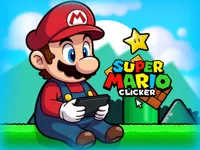
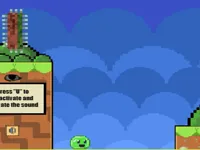
Play Super Mario Clicker, a fun clicker game you can enjoy instantly in your browser. No Download, Free to Play, and playable on PC, mobile, and tablet.
Genre: clicker | No Download | Free to Play
Super Mario Clicker is built around the simplest idea that still feels satisfying: every tap matters. You start by clicking to earn points, coins, or progress, then use what you earn to improve your output so each click becomes more valuable over time.
Because it is a clicker at heart, the fun comes from finding your rhythm and making smart upgrades instead of trying to “win” in one burst. It also fits nicely alongside other arcade and casual browser games when you want something you can play in short sessions.
It is easy to pick up, but it rewards consistency. Early on, you feel the impact of every click, and later you get the satisfaction of watching your progress speed up after a few smart purchases.
Another reason it works is that it is low-pressure. If you like games where you can focus on one task and improve it step by step, Super Mario Clicker feels comfortable, especially for 1 player sessions on a quick break.
Start the game and click or tap on the main character or interactive area to earn currency. When you have enough, buy upgrades that increase how much each click gives you, or add boosts that generate progress automatically.
The key is to balance fast early upgrades (to get momentum) with bigger upgrades (to scale later). If you enjoy the steady growth loop, you will probably also like time-friendly browser titles such as Rollance Going Balls and Drive Mad, which are also designed for quick restarts and short rounds.
The core loop is straightforward: click to earn, spend to improve, and repeat. Your first minutes usually focus on manual clicking, because it is the fastest way to build your first pile of currency. Once upgrades appear, the game becomes more about decision-making: do you buy a cheap upgrade now for a small boost, or save longer for a larger multiplier?
As you progress, the pace typically shifts. Growth slows unless you stack the right upgrades together, so the “difficulty” is more about efficiency than reflexes. This is where the game gets interesting, because buying the wrong thing can delay your next milestone, while a well-timed purchase can push you into a new speed tier.
Most clickers also become more comfortable after you set up a baseline of passive income. At that stage, you can still click to speed things up, but your results do not depend on nonstop tapping. If you want a more timing-heavy experience after a clicker session, try something like Geometry Dash Beatbox, where progress depends more on rhythm and precision.
Super Mario Clicker has that “one more upgrade” feeling that makes incremental games so replayable. Even when progress slows, you can usually spot the next target and build a small plan to reach it.
It also plays well as a palate cleanser between more intense games. If you switch between quick action and calmer progression loops, clickers help you reset without feeling like you are wasting time.
Buy the first upgrades early. In the opening phase, even small improvements can double your pace. The sooner your clicks are worth more, the sooner every minute starts paying back.
Do not chase every upgrade. If an upgrade gives a tiny boost but costs almost as much as the next tier, saving is often better. A simple rule is to compare “cost” versus “how many clicks it saves you” to reach the next milestone.
Use bursts, not endless tapping. Many players burn out by clicking constantly. Instead, click in short bursts after a big purchase, then let the improved rate carry you until your next decision point.
Watch for compounding. Multipliers and upgrades that increase base value can stack well together. If you already have a multiplier, improving the base can be stronger than buying another small multiplier.
Switch your mindset when things slow down. Later progression often requires patience. If the next upgrade feels far away, you might just be one efficient purchase away from a faster loop.
If Super Mario Clicker is not working properly, try this:
If you enjoy steady progression, upgrades, and short sessions where each action pushes you forward, these games offer a similar pace and loop.
Yes. Super Mario Clicker runs in your browser on PC, so you can play without installing anything as long as you have an internet connection.
Super Mario Clicker is a browser clicker game where you earn currency by clicking and then spend it on upgrades to increase how fast you earn.
Load the game, start clicking or tapping on the main screen to earn your first currency, then open the upgrade area and buy your first boosts to speed up progress.
Yes, Super Mario Clicker is free to play online.
Focus on early upgrades that increase your click value, avoid buying every small upgrade, and play in short bursts after big purchases so you stay efficient and do not tire out.
You can play Super Mario Clicker on NiaGames directly in your browser, on desktop or mobile.
No. Super Mario Clicker is a browser game, so you can start playing instantly with no download.
Yes. Super Mario Clicker works on mobile and tablet browsers, and the main actions translate well to tapping.