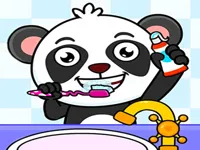
Play Incredible Kids Dentist, a fun Educational simulation game you can enjoy instantly in your browser. No Download, Free to Play, and playable on PC, mobile, and tablet.
Genre: Educational simulation | No Download | Free to Play
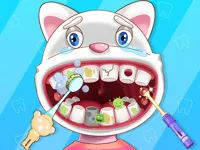
This is a friendly dentist game designed for younger players who like simple doctor roleplay. You work in a kid-focused clinic where the goal is to help patients feel better by cleaning, checking, and fixing teeth step by step.
Most sessions are short and clear: pick a patient, follow the tool prompts, and finish the treatment. It fits well for anyone who enjoys kids activities, calm learning games, and light educational play that focuses on routines rather than speed.
The game usually plays like a guided clinic simulator. You are not trying to win with perfect timing; you are trying to do tasks in the right order, use the right tool, and keep the patient comfortable. If you enjoy simple care games and gentle mini tasks, you will likely also like the wider Girls Games collection on NiaGames.
The biggest reason is clarity. The tools are easy to recognize, the steps are shown clearly, and every action has a quick result. That makes it approachable for kids who are still learning how games work and for parents who want something relaxed.
It also works as a light introduction to tooth care concepts. You see what happens when teeth are dirty, why brushing matters, and how small problems can be fixed with proper care. Because it is built as a browser game, it fits nicely alongside other Html5 Games that run smoothly without installs.
Finally, it is satisfying in a simple way. Finishing a cleaning, removing a visible problem, and seeing the smile at the end gives a clear sense of progress. On touch devices, it feels natural for Touchscreen play, which is great for quick sessions on the go.
You start by choosing a patient and entering the clinic scene. From there, you follow on-screen hints to select tools and apply them to the right tooth area. Many actions are based on clicking, dragging, or holding a tool in place until the task completes.
To keep things smooth, focus on doing one step at a time. If a tool is not working, it usually means you are on the wrong spot or a previous step is not finished yet. This kind of Point And Click flow rewards patience more than fast reactions.
On phones and tablets, you will mostly tap and drag to position tools, then tap again to confirm actions. If you want more easy games that feel good on Mobile, try switching between a few short sessions rather than playing one long run.
The core loop is a set of clinic mini tasks: check the mouth, identify the problem, and treat it using the tool the game highlights. Common steps include cleaning teeth, removing stains or debris, checking for cavities, and applying a quick fix to finish the visit. Each patient is basically a small checklist, so progress feels steady and easy to follow.
Difficulty tends to increase by adding more steps per patient, smaller target areas, or tools that require longer, steadier dragging. Early stages may let you click anywhere near the tooth, while later ones may ask you to be more precise and keep the tool aligned until a meter fills. The best approach is slow movement and short corrections instead of big swings.
When you make a mistake, the game usually just blocks the action and nudges you back to the correct tool or area. That keeps the experience friendly and low stress, which is one reason it pairs well with other gentle life games like School Life when players want something calm.
What stands out is how the game breaks the dentist routine into tiny, readable actions. Players learn the order of care tasks and get immediate feedback when something is done correctly, which keeps attention without overwhelming them.
It also fits a common play style on NiaGames: short, repeatable sessions with clear goals. If a player enjoys finishing “one more patient,” they can bounce between similar care titles and keep the same relaxed rhythm.
Move tools slowly and stay centered on the highlighted area. If you overshoot, correct with small drags rather than big swipes, because precision is usually what the later patients ask for.
Finish each step fully before switching tools. A lot of “it is not working” moments come from changing tools early, especially when a progress bar or cleaning meter is still filling.
If a younger player feels stuck, reset the scene by re-selecting the patient or restarting the current treatment step. For more routine-based practice, games like Kids Good Habits use the same calm, step-by-step idea, just with different activities.
Try playing in short sessions. Doing two or three patients, then taking a break, keeps the game fun and prevents rushing, which is when precision tasks usually go wrong.
If you want a change of theme while keeping simple actions, Cooking Games For Kids is another option with easy steps and clear results.
If Incredible Kids Dentist is not working properly, try this:
These picks match the same calm, step-by-step care and clinic or makeover style tasks, with short sessions and easy controls.
Yes. It runs in your browser, so you can start playing on a desktop or laptop without installing anything. A stable internet connection and a modern browser are usually enough.
It is a kid-friendly dentist simulator where you treat patients using simple, guided tools. The focus is on cleaning and fixing teeth in a clear order, with gentle feedback when you pick the wrong step.
Load the game page, press play, and choose a patient when the clinic screen appears. After that, follow the on-screen hints to select the right instrument and apply it to the highlighted area.
Yes, Incredible Kids Dentist is free to play online.
Go slowly with dragging tools and stay on the highlighted spot. If something will not activate, double-check that the previous step is finished and try re-selecting the correct tool.
You can play it on NiaGames directly in your browser. It also works on phones and tablets, so you can switch devices without changing how the game feels.
No downloads are needed. Just open the game page and play in a supported web browser.
Yes. The controls translate well to touch screens, using taps and drags to choose and use dentist tools.