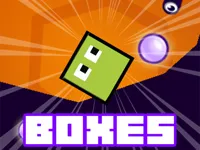
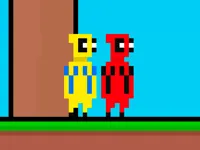
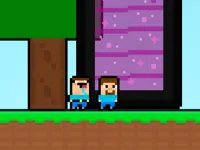
Play Gravity Box, a fun physics puzzle platformer game you can enjoy instantly in your browser. No Download, Free to Play, and playable on PC, mobile, and tablet.
Genre: physics puzzle platformer | No Download | Free to Play
This game is built around one clever idea: you guide a small box upward through tricky stages by flipping gravity at the right moment. Instead of sprinting or fighting enemies, your progress comes from understanding momentum, using walls and ledges wisely, and choosing safe flip timings.
Each level usually feels like a compact experiment. You watch the layout, try a flip, learn what went wrong, then adjust your next attempt by a fraction. If you enjoy physics challenges that reward patience, it is the kind of game that makes improvement feel real, not random.
Because the mechanic is so simple, the difficulty comes from decisions rather than complicated inputs. Small mistakes like flipping too late or touching an obstacle at a bad angle can knock you off your path, so you end up playing with a careful rhythm that matches timing focused games.
It is satisfying when a plan works. You spot a narrow gap, flip at the peak of a jump, and the box lands exactly where you wanted with no extra movement.
Players also like how fast retries are. Levels tend to be short, so you can test ideas quickly and keep learning without long downtime, which is perfect for 1 Player sessions.
Another big draw is the balance between calm thinking and quick reactions. You can pause for a beat to read the next platform, but once you commit, you need steady hands and clean inputs to avoid getting clipped by an obstacle.
Your main goal is to move upward, step by step, by flipping gravity so the box falls toward the surface you want to land on. Most of the time, you are choosing between a safe flip that keeps control and an aggressive flip that gains height but risks a bad bounce.
Start each stage by watching how the box behaves after a flip. Some levels punish spam flips because you lose momentum and drift into hazards, while others want you to chain flips smoothly to climb. Treat it like a puzzle where the correct solution is a sequence of clean movements, not a single perfect jump.
When you are unsure, take the safest option: flip earlier, aim for a bigger landing surface, and reset your position before the next move. Once you can reach the top consistently, you can start optimizing for speed and tighter lines through the level.
The core loop is simple: flip gravity, land, correct your position, then flip again when the angle is right. Many stages use vertical layouts with small platforms, narrow passages, or ledges that require precise placement. A clean climb usually means you are controlling how fast the box approaches a surface, then using the rebound and drift to set up your next flip instead of fighting the physics.
The challenge tends to ramp up through spacing and hazard placement. Early levels might offer wide landings and forgiving routes, but later layouts ask you to pass between tight gaps or land on short platforms without sliding off. If a stage includes moving parts, the focus shifts to waiting for a safe window, then committing to a flip that lines up with that timing.
Good runs come from tiny adjustments. You are often fixing a mistake from two moves ago, like a small angle that slowly pushes you toward a wall. When you notice that drift early, you can correct with a gentle nudge and a safer landing, which is exactly why the game pairs well with platform style thinking even when the movement is mostly physics-driven.
What makes this one stand out is how much variety you can get from a single mechanic. A simple gravity flip becomes different problems depending on the shape of the room, the placement of platforms, and how punishing the gaps are.
It also encourages a calmer mindset than many arcade reflex games. You are not forced to rush every second, but you still need confidence when you commit, which makes each cleared section feel earned and repeatable.
Play your first few runs like a test. Focus on learning how the box bounces and how much drift you get after each landing, then start tightening your route once you can reach the upper platforms reliably.
On touch devices, slow inputs help a lot. A quick tap at the wrong time can flip you into a wall, so it is worth practicing steady taps and using the screen like a rhythm tool. If you enjoy browser-friendly games like this, explore more Html5 Games and other Touchscreen titles for short, skill-based sessions.
If Gravity Box is not working properly, try this:
These games share the same feel of short levels, physics-driven movement, and careful control where small mistakes quickly snowball.
Yes. You can play it in your browser on PC for free, and it works especially well if you take a moment to read the level and keep your inputs steady.
It is a physics-based puzzle platformer where you guide a box upward by flipping gravity to land on the next surface and avoid hazards along the route.
Start a level, try a few flips to learn how the box moves, then begin climbing by choosing safe landings first. Once you can reach the top consistently, tighten your route and aim for cleaner, faster sequences.
Yes, Gravity Box is free to play online.
Prioritize control over speed. Use larger platforms as reset points, avoid panic flips, and make small corrections early before drift pushes you into trouble.
You can play it on NiaGames in your browser on desktop or mobile, making it an easy pick for quick sessions that still build real Skills.
No. It runs in your browser, so you can start playing right away without installing anything.
Yes. It supports mobile and tablet play, and the flip action maps well to touch controls once you get comfortable with steady tapping.