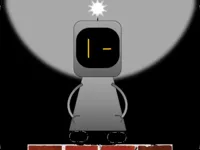
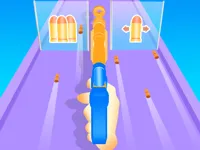
Play Dual, a fun Hypercasual Arcade game you can enjoy instantly in your browser. No Download, Free to Play, and playable on PC, mobile, and tablet.
Genre: Hypercasual Arcade | No Download | Free to Play
Dual is built around a simple pressure point: you are asked to manage two states at once, not just one. Instead of focusing on a single lane or a single character, the game encourages you to think in pairs, switching attention quickly and staying calm when patterns tighten up.
The vibe fits neatly with quick retry hypercasual play. Runs are short, feedback is immediate, and the best progress usually comes from tiny improvements like cleaner timing, better positioning, and fewer panicked corrections.
Many players enjoy how readable the challenge can be. When you fail, it usually points back to one clear moment: you reacted late, you swapped at the wrong time, or you tried to fix two problems at once and made both worse.
Dual also has that classic loop where your brain adapts faster than your hands. At first it feels like too much is happening, but after a few tries you start spotting repeating shapes and you can move earlier, which makes the whole run feel smoother and more controlled.
Start a run and focus on keeping your movement and swaps deliberate. This is an arcade style experience, so you do not need a long setup, but you do need a plan: stabilize first, then take risks only when you can see the next safe spot.
If you are on a phone or tablet, touchscreen controls can make small adjustments easier, especially when the pace rises. On PC, it helps to keep your fingers ready for quick direction changes so you can react without looking down.
The main goal in Dual is to survive longer by managing two positions, two lanes, or two sides of the play space. You are usually balancing movement with a quick switch or action that changes which side is active, and the challenge comes from staying ahead of what is about to happen rather than only responding to what is already on screen.
Difficulty tends to ramp in familiar ways: tighter gaps, faster sequences, and trickier timing windows that punish late decisions. The safest habit is to read one step ahead, line up early, and treat each section like a short checkpoint where you reset your control before you push for a better pace.
When the patterns get dense, you will notice that smooth inputs matter more than speed. A lot of the game is about avoid basics: stay centered when you can, do not overcorrect, and pick the simplest escape route that keeps both sides safe for the next beat.
What stands out is the mental split. In many games you can brute force your way through by reacting fast, but here it is often better to slow your decision making down and commit to one clean move at a time. The moment you try to fix everything at once, mistakes stack quickly.
Dual rewards a calm rhythm. Once you start reading patterns early, the action feels less like chaos and more like a series of predictable steps, which makes chasing a longer run feel satisfying instead of stressful.
If you want to improve, focus on the decisions that happen before the danger arrives. In this kind of timing heavy obstacle challenge, the best runs often come from early setup rather than last second reactions.
If Dual is not working properly, try this:
If you like short runs that reward timing, clean movement, and quick retries, these games have a similar pace and pressure.
Yes. You can play in a desktop browser, and the quick round structure makes it easy to restart and practice timing without installing anything.
It is an arcade style reflex game where the core challenge is managing two sides of the play space. Success comes from reading patterns early, choosing safe lines, and keeping your swaps and movement steady as the pace increases.
Load the game, press start, and begin with a slow, learning focused run. After you understand how switching and movement feel, aim for smoother inputs rather than faster ones.
Yes, Dual is free to play online.
Do not chase speed right away. In Dual, you will improve faster by learning one tricky pattern at a time and keeping your actions consistent, especially when you feel pressured to react late.
You can play it directly on NiaGames here: play it on NiaGames.
No. The game is designed for browser play, so you can start instantly with no downloads or installs.
Yes. Dual works on most modern mobile browsers, and touch input is a comfortable way to make small adjustments during faster sequences.